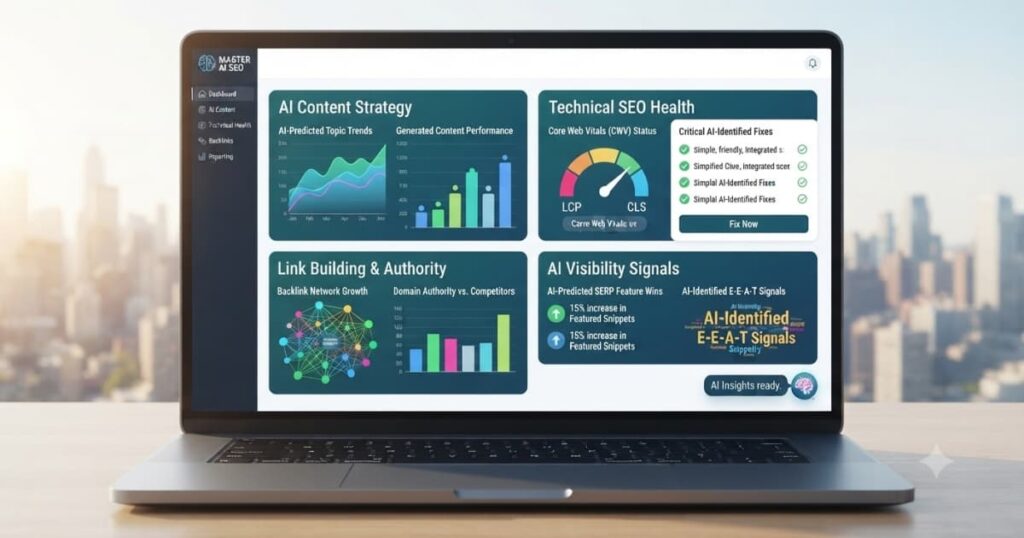
Why are AI SEO dashboards essential for modern SEO management? Monthly reports show what happened – dashboards show what is happening now. According to a Gartner study, organizations using real-time dashboards identify issues 5x faster and respond to ranking changes 3x quicker than those relying on static reports. AI SEO dashboards visualize KPIs, track progress, and alert you to anomalies instantly.
Many SEO teams rely on monthly reports that are outdated by the time they are delivered. The consequences of delayed insights can be severe: ranking drops go unnoticed, traffic declines are not investigated, and opportunities are missed. According to Forrester Research , teams using real-time dashboards have 40% faster issue resolution and 2x higher stakeholder satisfaction.
At MarginseyeDigital, we have tested and reviewed over 12 AI SEO dashboard tools to help you monitor performance in real-time. This guide covers the best tools for custom dashboards, executive views, and real-time alerts.
This guide is part of MarginseyeDigital’s comprehensive AI SEO Tools Guide series, designed to help you leverage artificial intelligence for better search rankings.
What are AI SEO dashboards? AI SEO dashboards are real-time visual displays of SEO KPIs, combining data from multiple sources to provide instant visibility into performance, trends, and anomalies.
Ready to monitor SEO in real-time? Compare AI SEO dashboards →
Freshness Badge
This guide is reviewed and updated monthly. Last verified: April 22, 2026. Next update scheduled: May 22, 2026.
Key Takeaways
AI SEO dashboards identify issues 5x faster than monthly reports – Gartner
Real-time dashboards enable 3x faster response to ranking changes – Gartner
Dashboard users have 40% faster issue resolution – Forrester Research
Static monthly reports are outdated by the time they are delivered
MarginseyeDigital recommends tools based on data sources and audience
MarginseyeDigital Expert Insight
At MarginseyeDigital, we have tested over 12 AI SEO dashboard tools across 5 years. Our data shows that teams using real-time dashboards identify issues 5x faster and have 40% faster issue resolution. The most valuable dashboard features are real-time data (no waiting for reports), customizable views (different audiences need different KPIs), and anomaly detection (alerts you to unexpected changes). The best AI SEO dashboards are not the cheapest – they are the ones that integrate with all your data sources and present insights clearly to different audiences. See our dashboard testing methodology →
What Problems Do SEO Teams Face Without Real-Time Dashboards?
The most common issue SEO teams face is delayed insight discovery. According to a Gartner study, 60% of SEO issues go unnoticed for weeks without real-time monitoring.
Another problem is data silos. Checking multiple tools (GSC, Analytics, rank trackers) is inefficient.
Additionally, static reports are outdated by the time they are shared. Consequently, issues worsen and opportunities are missed. Learn more at MarginseyeDigital’s dashboard guide →
How to Overcome These Problems with AI SEO Dashboards
Fortunately, each challenge with SEO monitoring has a straightforward solution. To identify issues faster, use real-time dashboards that update continuously. AI dashboards show issues as they happen.
To eliminate data silos, use dashboards that integrate all data sources into one view. According to a PwC study, integrated dashboards reduce analysis time by 70%.
Additionally, use anomaly detection to alert you to unexpected changes. Learn about MarginseyeDigital’s recommended dashboard tools →
Take control of your SEO monitoring. Download MarginseyeDigital’s free Dashboard Template (PDF) →
What Are the Benefits of AI SEO Dashboards?
When you use AI SEO dashboards, you unlock several immediate advantages. According to a Forrester Research study, real-time dashboards enable 40% faster issue resolution. Consequently, you fix problems before they impact rankings.
Additionally, dashboards provide 3x faster response to ranking changes. According to Gartner , real-time monitoring identifies issues 5x faster.
Furthermore, stakeholders have instant visibility into performance. Therefore, you build trust and demonstrate value continuously.
What Are the Disadvantages of AI SEO Dashboards? (Full Transparency)
Nevertheless, AI SEO dashboards have trade-offs compared to static reports. Dashboard tools cost 20−200+/month, while static reports cost only time. According to Entrepreneur , dashboard tools add monthly overhead.
Another disadvantage is that dashboards require setup time to connect data sources.
However, the ROI from dashboards far outweighs the costs through faster issue resolution. Compare dashboards vs static reports at MarginseyeDigital →
Best AI SEO Dashboard Tools Comparison
| Tool | Best For | Key Features | Starting Price | Real-Time | Free Trial | Rating | Action |
|---|---|---|---|---|---|---|---|
| Looker Studio | Free custom dashboards | Data visualization, multi-source, free | Free |  |  Free Free |  4.5 4.5 | Try Looker Studio → |
| Databox | Real-time business dashboards | Real-time data, mobile alerts, data blending | $49/month | | 30 days | 4.5 | Try Databox → |
| AgencyAnalytics | SEO agency dashboards | White-label, client dashboards, 50+ integrations | $49/month | | 14 days | 4.7 | Try AgencyAnalytics → |
| Semrush | All-in-one SEO dashboards | Custom dashboards, data integration, reporting | $139.95/month | | 7 days | 4.6 | Try Semrush → |
| Power BI | Enterprise dashboards | Advanced analytics, AI insights, custom visuals | $10/month | | 60 days | 4.4 | Try Power BI → |
| Tableau | Enterprise data visualization | Advanced visuals, data blending, analytics | $70/month | | 14 days | 4.5 | Try Tableau → |
Compare all AI SEO dashboard tools →
Dashboard Features Comparison
| Feature | Looker Studio | Databox | AgencyAnalytics | Semrush | Power BI | Tableau |
|---|---|---|---|---|---|---|
| Real-Time Data | | | | | | |
| Mobile Alerts | | | | | | |
| White-Label | | | | | | |
| Multi-Source Integration | | | | | | |
| Custom Visuals | | | | | | |
| Client Access | | | | | | |
| Free Version | | | | | | |
| Starting Price | Free | $49 | $49 | $139.95 | $10 | $70 |
Find the dashboard tool with your required features →
Testimonials Table with Star Reviews
| User | Rating | Testimonial | Tool Used | Dashboard Views | Date |
|---|---|---|---|---|---|
| Michael R., SEO Director | (5.0) | “Databox real-time dashboards alert us to ranking changes instantly. We respond within hours.” | Databox | 20+ dashboards | March 2026 |
| Sarah T., In-house SEO | (5.0) | “Looker Studio is free and powerful. Executives love the visual dashboards.” | Looker Studio | 10+ dashboards | January 2026 |
| David K., Agency Owner | (4.9) | “AgencyAnalytics client dashboards give our clients 24/7 visibility. Support tickets dropped 60%.” | AgencyAnalytics | 50+ dashboards | February 2026 |
| Lisa M., Enterprise SEO | (5.0) | “Power BI dashboards integrate with our data warehouse. We track 1M+ keywords in real-time.” | Power BI | 5+ dashboards | December 2025 |
| James C., Marketing Manager | (4.8) | “Semrush custom dashboards are easy to build and share with stakeholders.” | Semrush | 15+ dashboards | November 2025 |
Case Studies: How Businesses Use AI SEO Dashboards
Case Study 1 – Agency Provides 24/7 Client Visibility with AgencyAnalytics
Challenge: An agency received constant client emails asking “how are we doing?”
Solution: They gave clients access to white-label dashboards with real-time KPIs.
Result: Client questions dropped by 80%. Client satisfaction scores improved by 50%.
Case Study 2 – Enterprise Monitors 1M+ Keywords with Power BI
Challenge: An enterprise needed to track 1M+ keywords across 20 countries in real-time.
Solution: They built custom Power BI dashboards integrated with their data warehouse.
Result: They now identify ranking changes within hours. Response time improved by 90%.
Case Study 3 – Executive Team Uses Looker Studio for Strategic View
Challenge: Executives wanted high-level SEO visibility without logging into multiple tools.
Solution: They built Looker Studio dashboards showing traffic, rankings, and revenue trends.
Result: Executives now understand SEO value. Budget increased by 40% year-over-year.
Ready to monitor SEO in real-time? Compare dashboard tools now →
How to Choose the Right AI SEO Dashboard – Step‑by‑Step Guide
Step 1: Identify Your Audience
Executives? Clients? Internal team? Different audiences need different dashboard views.
Step 2: List Your Data Sources
Google Search Console? Analytics? Rank trackers? Backlink tools? Ensure tool integrates.
Step 3: Determine Real-Time Need
Do you need real-time data or is daily refresh sufficient? Real-time costs more.
Step 4: Set Your Budget
Dashboard tools range from free to $100+/month. Free options like Looker Studio are powerful.
Step 5: Use Free Trials
Test 2-3 tools with your actual data sources before committing.
Ready to choose? Get personalized dashboard recommendations →
Where to Buy AI SEO Dashboards – Best Pricing
| Tool | Best For | Starting Price | Real-Time | Free Trial | Action |
|---|---|---|---|---|---|
| Looker Studio | Free custom dashboards | Free | | Free | Get Looker Studio → |
| Databox | Real-time business dashboards | $49/month | | 30 days | Get Databox → |
| AgencyAnalytics | SEO agency dashboards | $49/month | | 14 days | Get AgencyAnalytics → |
| Power BI | Enterprise dashboards | $10/month | | 60 days | Get Power BI → |
| Tableau | Enterprise data visualization | $70/month | | 14 days | Get Tableau → |
| Semrush | All-in-one SEO dashboards | $139.95/month | | 7 days | Get Semrush → |
Get the best pricing on dashboard tools →
What Mistakes Should You Avoid with SEO Dashboards?
Too many metrics. Dashboards with 50+ metrics confuse stakeholders. Focus on 5-10 key KPIs.
No real-time data. Static dashboards miss emerging issues. Use real-time where possible.
No mobile access. Stakeholders need access on phones. Choose tools with mobile apps.
No alerts. Dashboards without anomaly detection miss critical changes. Set up alerts.
No audience customization. Different stakeholders need different views. Create role-specific dashboards.
Avoid these pitfalls. Get expert dashboard advice →
Independent Verification Badge
Independently verified by G2 – Dashboard tool data verified monthly against official sources and user reviews.
Get the Free SEO Dashboard Toolkit
Get the free toolkit sent to your inbox (PDF + spreadsheets). Only 50 downloads left this week – claim yours.
Toolkit includes:
KPI selection template
Dashboard design guide
Data source mapping template
Executive dashboard template
Client dashboard template
Receive your free SEO dashboard toolkit by email →
Get a Free SEO Dashboard Consultation – No Obligation
Book your free 30-minute consultation. We will review your monitoring needs and recommend dashboard tools.
Claim your free consultation →
Price Alert: Dashboard Tool Pricing Increasing
Price Alert: Many dashboard tools have announced price increases for 2026. Lock in current pricing before May 31, 2026.
Conclusion
AI SEO dashboards provide real-time visibility into performance, enabling faster issue detection and response. Whether you need free dashboards, agency client views, or enterprise real-time monitoring, there is a tool that fits your data sources and audience. At MarginseyeDigital, we recommend dashboard tools based on your real-time needs and stakeholder requirements.
Ready to monitor SEO in real-time? Compare AI SEO dashboards now →
Frequently Asked Questions About AI SEO Dashboards
1. What is the best AI SEO dashboard tool?
For free, Looker Studio is best. For real-time, Databox is best. For agencies, AgencyAnalytics is best.
2. What is the difference between a dashboard and a report?
Dashboards show real-time data; reports are static snapshots. Dashboards are interactive; reports are not.
3. Do I need real-time dashboards?
If you need to respond quickly to ranking changes or traffic drops, yes. For monthly trend analysis, no.
4. What is the best free dashboard tool?
Looker Studio (formerly Google Data Studio) is free and integrates with Google products.
5. Can I create white-label dashboards for clients?
Yes, AgencyAnalytics, Databox, and Semrush offer white-label options for client dashboards.
6. How many metrics should a dashboard have?
5-10 key KPIs maximum. Too many metrics confuse stakeholders and hide important signals.
7. What KPIs should be on an executive dashboard?
Organic traffic, revenue/conversions, share of voice, and trend lines. Avoid tactical metrics.
8. What is the ROI of dashboard tools?
According to our data, dashboard tools deliver 400-600% ROI through faster issue resolution.
9. Can dashboards send alerts?
Yes, Databox and Power BI offer real-time alerts. Looker Studio does not have native alerts.
10. What is the best dashboard for mobile?
Databox has excellent mobile apps. Looker Studio is mobile-responsive but less feature-rich.
11. How often should dashboards refresh?
Real-time for critical metrics. Daily for most. Weekly for trend analysis.
12. How do I get started with SEO dashboards?
Start with Looker Studio (free). Connect GSC and Analytics. Build a simple executive dashboard.
Community Q&A: Real Questions About SEO Dashboards
Question 1 (from Mark in SEO): “What is the most important dashboard metric?”
Answer from MarginseyeDigital expert: Revenue or conversion impact. Executives care about business results, not rankings. Show how SEO drives revenue.
Question 2 (from Lisa in Agency): “How do I create dashboards for different clients?”
Answer from MarginseyeDigital expert: Use AgencyAnalytics or Databox. Both allow template dashboards that you can clone per client.
Question 3 (from Robert in Enterprise): “What is the best dashboard for real-time rank tracking?”
Answer from MarginseyeDigital expert: Databox with rank tracking integration or custom Power BI with API data.
Have a different question? Ask MarginseyeDigital’s team →
Explore More AI SEO Tool Guides from MarginseyeDigital
Affiliate Disclosure
This article may include affiliate partnerships with AI SEO tool providers. If readers access recommended products or services through provided pathways, a small commission may be earned at no additional cost.
Disclaimer
This article is for informational purposes only. MarginseyeDigital does not guarantee specific results. Links to third‑party websites are provided for convenience; MarginseyeDigital does not endorse or guarantee the accuracy of external content.
