Best free SEO tools for beginners in 2026
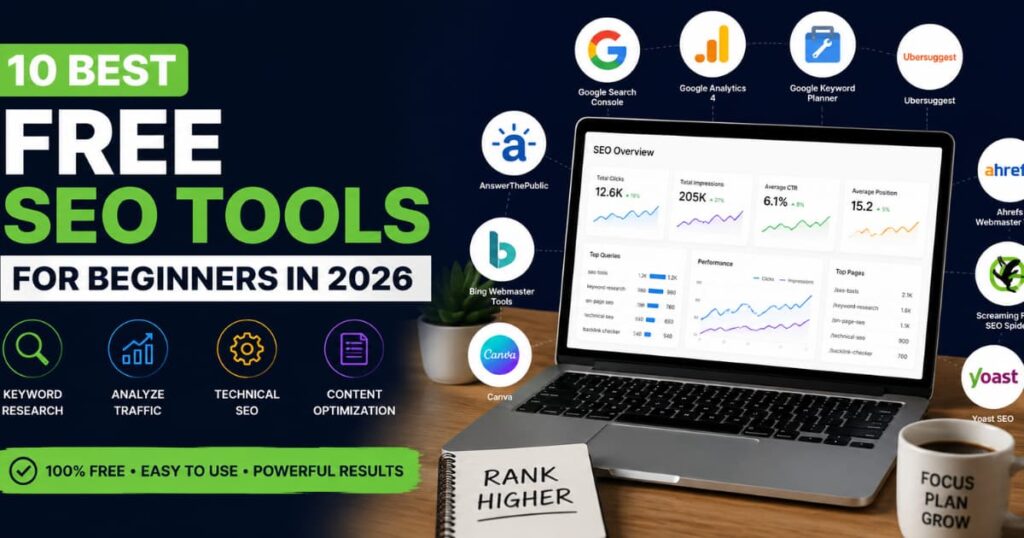
If you are trying to grow a website today, free SEO tools are no longer optional. They are the difference between guessing what works and actually understanding why pages rank, why traffic drops, and where opportunities exist.
The problem is that most beginners enter SEO already overwhelmed.
One platform tells you to track keywords. Another tells you to fix technical errors. Then someone on YouTube recommends a tool that costs more than your monthly hosting plan. Before long, SEO starts feeling like a system built only for agencies and advanced marketers.
But that is not how SEO actually works.
At its core, SEO is a visibility system. Search engines look for pages that are useful, technically accessible, and aligned with what users are searching for. The right tools simply help you see those signals clearly.
That is why beginners should focus less on “advanced hacks” and more on learning the basics properly:
- what people are searching for,
- how your pages perform,
- what prevents indexing,
- and which content is gaining visibility.
According to Google Search Central, SEO fundamentals still revolve around crawlability, content relevance, and user-focused experiences. Tools help simplify those systems into actionable data beginners can understand.
This guide ranks the best free SEO tools for beginners in 2026 based on:
- usability,
- strength of the free version,
- learning curve,
- practical outcomes,
- and how useful the tool remains as your website grows.
Some tools on this list are completely free. Others use limited free plans that are still valuable enough for beginners to learn SEO properly before spending money.
You’ll learn:
- what each tool actually does,
- where it helps most,
- how to set it up quickly,
- and which beginner mistakes it helps prevent.
If you are building a blog, business website, affiliate site, or personal brand, these tools will help you understand how search visibility actually works instead of relying on random advice online.
For example, a beginner using the right combination of Google Search Console and keyword research tools can often identify ranking opportunities within days, not months. The issue is usually not lack of effort. It is lack of visibility into the system itself.
If you want a deeper breakdown of how SEO systems connect with website performance and business growth, explore Marginseye Digital SEO Services and Marginseye Website Audit Services.
Now let’s break down the tools beginners should actually start using first and why they matter.
How We Ranked the Best Free SEO Tools for Beginners
Not every free SEO tool is actually useful for beginners.
Some tools hide essential features behind expensive subscriptions. Others overload new users with technical data they do not yet understand. A few are powerful, but the interface feels like software built for engineers instead of normal website owners.
That is why this ranking focuses on practical beginner outcomes instead of hype.
Each tool was evaluated using five core criteria:
1. Ease of Use
A beginner should be able to open the tool and understand the basics within minutes.
If the dashboard requires advanced SEO knowledge before showing value, it creates friction instead of helping. Tools that explain issues clearly and guide users step-by-step ranked higher in this list.
For example, Google Search Console performs complex indexing analysis behind the scenes, but presents it in a way beginners can follow without needing technical experience.
2. Strength of the Free Plan
Many SEO tools advertise themselves as “free” while locking important features behind paywalls.
The tools ranked here provide meaningful value without requiring payment immediately. That includes:
-
keyword research,
-
technical audits,
-
indexing insights,
-
ranking visibility,
-
and traffic analysis.
A beginner should be able to learn real SEO fundamentals before needing premium upgrades.
3. Beginner Learning Curve
Some SEO tools assume users already understand:
-
crawl budgets,
-
canonical tags,
-
schema markup,
-
or backlink toxicity.
Beginners usually do not.
The best free SEO tools for beginners explain systems in a simpler way. They reduce confusion and help users understand cause and effect clearly.
That matters because SEO is already a long-term game. Confusing tools increase drop-off before results happen.
4. Real-World Usefulness
A good SEO tool should help users make better decisions, not just display charts.
For example:
-
Can the tool help identify pages losing traffic?
-
Can it reveal search terms people already use?
-
Can it uncover content opportunities?
-
Can it explain why a page is not indexed?
The highest-ranked tools solve real beginner problems directly.
According to HubSpot’s SEO guide, tools that simplify keyword discovery, site visibility, and technical fixes tend to produce the fastest learning curve for new website owners.
5. Relevance in Modern SEO
SEO has changed significantly.
Search engines now evaluate:
-
user intent,
-
content usefulness,
-
page experience,
-
topical authority,
-
and site trust signals more aggressively than before.
That means beginners need tools that align with how SEO works today, not outdated keyword stuffing strategies from years ago.
The tools in this list remain relevant because they help users understand visibility systems that still matter:
-
search queries,
-
indexing,
-
technical accessibility,
-
user engagement,
-
and content performance.
This is also why several Google-owned tools rank highly here. Google itself provides some of the clearest visibility data available directly from the search engine.
Now that the ranking criteria are clear, let’s start with the most important free SEO tool every beginner should set up first.
1. Google Search Console
If beginners only use one SEO tool, it should be Google Search Console.
This is the closest thing to a direct communication channel between your website and Google Search itself. Instead of guessing whether your pages are indexed or ranking, Search Console shows real search performance data directly from Google.
That alone makes it one of the best free SEO tools for beginners in 2026.
What Google Search Console Does
Google Search Console helps you monitor how your website performs in search results.
It shows:
-
which keywords bring traffic,
-
which pages appear in Google,
-
indexing issues,
-
mobile usability problems,
-
click-through rates,
-
and technical errors affecting visibility.
For beginners, this changes SEO from assumptions into measurable data.
According to Google Search Console Documentation, the platform helps site owners understand how Google crawls, indexes, and serves their pages in search results.
Key Features
-
Search performance tracking
-
Keyword and query visibility
-
Page indexing reports
-
Sitemap submission
-
Mobile usability checks
-
Core Web Vitals reporting
-
Internal and external link data
-
Manual action alerts
Pros
-
Completely free
-
Data comes directly from Google
-
Beginner-friendly interface
-
Essential for indexing and rankings
-
Helps identify pages losing visibility
Cons
-
Historical data is limited
-
Keyword data is less detailed than paid SEO tools
-
Can feel overwhelming at first
Best Beginner Use Case
Google Search Console is best for beginners who want to:
-
understand what keywords they already rank for,
-
fix indexing problems,
-
and monitor whether SEO improvements are working.
For example, many beginners discover that pages they spent hours creating are not even indexed by Google yet. Search Console exposes that immediately.
That prevents wasted effort.
Quick Setup Steps
-
Visit Google Search Console
-
Sign in using your Google account
-
Add your website domain
-
Verify ownership through DNS, HTML file upload, or hosting provider
-
Submit your XML sitemap
-
Wait for Google data to populate
Most websites start receiving useful search data within a few days.
Beginner Tip
The “Performance” tab is where most beginners should spend time first.
Focus on:
-
total clicks,
-
impressions,
-
average ranking position,
-
and queries with high impressions but low clicks.
Those low-click keywords often reveal content or title opportunities that can improve traffic without creating entirely new pages.
Verdict
Google Search Console is not optional for beginners anymore.
It gives direct visibility into how Google sees your website, which pages are performing, and what technical issues are holding you back. Most other SEO tools provide estimates. Search Console provides actual search engine data.
If you are serious about learning SEO properly, this should be the first tool you set up before touching anything else.
If your site still has technical or indexing issues after setup, running a professional website SEO audit from Marginseye Digital can help uncover deeper problems affecting rankings.
2. Google Analytics 4 (GA4)
Google Search Console shows how people find your website.
Google Analytics 4 shows what they do after they arrive.
That difference matters more than most beginners realize.
A page ranking on Google means little if visitors leave immediately, never click anything, or fail to take action. GA4 helps beginners understand user behavior instead of only focusing on rankings.
That is why Google Analytics 4 remains one of the best free SEO tools for beginners in 2026.
What Google Analytics 4 Does
GA4 tracks how visitors interact with your website.
It helps beginners understand:
-
where traffic comes from,
-
which pages perform best,
-
how long visitors stay,
-
what devices they use,
-
and what actions they take.
Unlike older versions of Google Analytics, GA4 focuses more heavily on events and user journeys instead of just pageviews.
According to Google Analytics Help Center, GA4 is designed to measure customer engagement across websites and apps using event-based tracking.
Key Features
-
Real-time traffic monitoring
-
Organic traffic tracking
-
User behavior analysis
-
Traffic source breakdowns
-
Engagement reports
-
Conversion tracking
-
Device and location insights
-
Event-based analytics
Pros
-
Completely free
-
Deep website behavior insights
-
Strong integration with Google tools
-
Useful for measuring SEO outcomes
-
Real-time reporting available
Cons
-
Learning curve is steeper than older analytics tools
-
Interface can confuse beginners initially
-
Event setup may feel technical
Best Beginner Use Case
GA4 is best for beginners trying to answer questions like:
-
Which blog posts keep visitors engaged?
-
Which traffic sources bring quality users?
-
Why are people leaving certain pages quickly?
-
Which pages generate conversions or inquiries?
For example, beginners often assume their highest-traffic page is their best-performing page. GA4 frequently reveals the opposite.
A lower-traffic page with higher engagement and conversions may actually provide more business value.
That changes how you approach SEO content strategy.
Quick Setup Steps
-
Visit Google Analytics
-
Create a Google Analytics account
-
Add your website property
-
Install the tracking code on your site
-
Connect GA4 with Google Search Console
-
Wait for traffic data collection
Most WordPress users can install GA4 quickly using plugins or integrations from their hosting provider.
Beginner Tip
Do not obsess over total traffic early on.
Instead, focus on:
-
engaged sessions,
-
pages with strong average engagement time,
-
and organic traffic growth trends.
A smaller website with highly engaged visitors often performs better long-term than a site attracting random traffic that never converts.
Verdict
Google Analytics 4 helps beginners move beyond rankings and understand actual user behavior.
Search Console explains visibility. GA4 explains interaction.
Together, they form the foundation of almost every modern SEO workflow because they show:
-
how users discover your site,
-
and what happens after discovery.
Beginners who learn these two tools early usually make faster SEO decisions because they stop relying on guesswork.
If your website structure or user experience is limiting engagement, improving your site through professional website design services from Marginseye Digital can significantly improve SEO performance and user retention.
3. Google Keyword Planner
Most beginners fail at SEO before they even publish content.
Why?
Because they create articles nobody is searching for.
Google Keyword Planner helps solve that problem by showing actual search demand directly from Google Ads data. While the tool was originally built for advertisers, it has become one of the most useful free keyword research tools beginners can use to understand what people search online.
That is why it still ranks among the best free SEO tools for beginners in 2026.
What Google Keyword Planner Does
Google Keyword Planner helps users discover:
-
keyword ideas,
-
monthly search estimates,
-
competition levels,
-
and related search terms.
For beginners, this matters because SEO starts with understanding search intent. If nobody searches for a topic, ranking for it will not generate meaningful traffic.
According to Google Ads Keyword Planner Help, the platform is designed to help users research keywords and estimate how they may perform.
Key Features
-
Keyword discovery
-
Search volume estimates
-
Related keyword suggestions
-
Competition insights
-
Keyword trend forecasting
-
Location-based keyword filtering
-
Industry keyword ideas
Pros
-
Free to use
-
Data comes directly from Google
-
Excellent for beginner keyword research
-
Useful for blog content planning
-
Helps identify search intent
Cons
-
Exact search volume ranges are limited on free accounts
-
Built mainly for advertisers, not SEO users
-
Interface can feel slightly outdated
Best Beginner Use Case
Google Keyword Planner is best for beginners trying to:
-
find blog topics,
-
validate keyword ideas,
-
and understand what users actually search for.
For example, many beginners target broad keywords like “SEO” or “marketing” without realizing those spaces are highly competitive.
Keyword Planner often reveals better opportunities such as:
-
“free SEO tools for bloggers,”
-
“how to improve website ranking,”
-
or “SEO checklist for small business websites.”
Those longer, more specific searches are usually easier for beginners to target.
Quick Setup Steps
-
Visit Google Keyword Planner
-
Create a free Google Ads account
-
Navigate to “Discover New Keywords”
-
Enter a topic or website URL
-
Review keyword suggestions and search trends
-
Save relevant keywords for future content
You do not need to run paid ads to use the basic keyword research features.
Beginner Tip
Do not chase only high-volume keywords.
A keyword with:
-
lower competition,
-
clearer intent,
-
and specific wording
often produces faster ranking opportunities for smaller websites.
For example:
-
“SEO” is too broad for beginners.
-
“best free SEO tools for beginners” is clearer, more targeted, and easier to build useful content around.
That is how smarter keyword targeting works.
Verdict
Google Keyword Planner remains one of the simplest ways for beginners to understand search demand directly from Google’s ecosystem.
It may not have the advanced competitor analysis features of expensive SEO platforms, but it teaches one of the most important SEO lessons early:
good SEO starts with understanding what people are already searching for.
That single mindset shift prevents beginners from wasting time creating invisible content.
If you want help building keyword-focused SEO strategies around real search demand, Marginseye Digital SEO Services provides structured SEO planning for businesses and growing websites.
4. Ubersuggest
Most beginner SEO tools either feel too limited or too complicated.
Ubersuggest sits somewhere in the middle.
It gives beginners access to keyword research, basic competitor analysis, content ideas, and SEO audits without overwhelming them with enterprise-level dashboards. That balance is what makes it one of the most beginner-friendly SEO platforms available today.
For many new website owners, Ubersuggest becomes the first tool that connects keywords, traffic, backlinks, and rankings into one understandable system.
What Ubersuggest Does
Ubersuggest helps users:
-
discover keyword opportunities,
-
analyze competitors,
-
audit websites,
-
track rankings,
-
and generate content ideas.
Unlike many free SEO tools that focus on only one area, Ubersuggest combines several beginner SEO functions inside one platform.
According to Neil Patel’s Ubersuggest Overview, the platform was designed to simplify SEO research and make search optimization more accessible to smaller websites and businesses.
Key Features
-
Keyword research
-
SEO difficulty analysis
-
Content idea generation
-
Basic backlink insights
-
Domain traffic estimates
-
Website SEO audits
-
Rank tracking
-
Competitor keyword analysis
Pros
-
Beginner-friendly interface
-
Easy-to-understand keyword metrics
-
Free daily searches available
-
Helpful content idea suggestions
-
Combines multiple SEO functions in one tool
Cons
-
Daily search limits on free accounts
-
Traffic estimates are not always perfectly accurate
-
Advanced features require paid upgrades
Best Beginner Use Case
Ubersuggest works best for beginners who want an all-in-one SEO learning platform.
For example, a beginner writing about fitness can:
-
research keywords,
-
check competitor pages,
-
analyze backlink counts,
-
and audit their own site
without jumping between five separate tools.
That simplicity matters because beginners usually struggle more with workflow confusion than lack of information.
Quick Setup Steps
-
Visit Ubersuggest
-
Create a free account
-
Enter a keyword or website URL
-
Explore keyword suggestions and traffic estimates
-
Run a site audit on your website
-
Save keyword ideas for future content
The platform starts showing usable SEO data almost immediately after entering a topic.
Beginner Tip
Do not treat SEO difficulty scores as absolute truth.
Many beginners avoid good keyword opportunities because a tool labels them “hard.” In reality, search competition depends heavily on:
-
content quality,
-
topical relevance,
-
search intent alignment,
-
and website authority.
Use difficulty scores as guidance, not final decisions.
Verdict
Ubersuggest remains one of the easiest ways for beginners to understand how SEO systems connect together.
Instead of teaching isolated concepts, it helps users see:
-
how keywords influence traffic,
-
how backlinks affect rankings,
-
and how competitors structure content.
That broader understanding is valuable early because SEO is not one single action. It is a connected visibility system.
For beginners building content-focused websites, Ubersuggest is often the first platform that makes SEO feel understandable instead of intimidating.
If you need help turning keyword opportunities into optimized pages that actually convert visitors, Marginseye Digital Website Design Services can help structure your website for both visibility and usability.
5. Ahrefs Webmaster Tools
Ahrefs is usually associated with expensive SEO software for professionals.
But many beginners do not realize Ahrefs also offers a genuinely useful free product called Ahrefs Webmaster Tools. For small websites and beginners learning SEO, it provides access to powerful technical and backlink insights that would otherwise cost hundreds of dollars yearly.
That makes it one of the highest-value free SEO tools beginners can start using in 2026.
What Ahrefs Webmaster Tools Does
Ahrefs Webmaster Tools helps users monitor:
-
website health,
-
technical SEO problems,
-
backlinks,
-
internal linking issues,
-
and keyword visibility.
The platform focuses heavily on helping site owners identify SEO issues that prevent pages from performing properly in search engines.
According to Ahrefs Webmaster Tools Overview, the tool gives website owners free access to Site Explorer and Site Audit features for verified websites.
Key Features
-
Technical SEO audits
-
Backlink monitoring
-
Broken link detection
-
Internal linking analysis
-
SEO health scoring
-
Keyword visibility tracking
-
Crawl issue reporting
-
Page performance insights
Pros
-
Powerful technical SEO analysis
-
Excellent backlink visibility
-
Free access for verified sites
-
Professional-grade auditing tools
-
Clear issue prioritization
Cons
-
Interface can feel advanced initially
-
Some data requires premium subscriptions
-
Beginners may need time to understand certain SEO errors
Best Beginner Use Case
Ahrefs Webmaster Tools is best for beginners who already have a live website and want to identify technical SEO issues limiting visibility.
For example, many beginners focus only on keywords while ignoring:
-
broken pages,
-
missing meta tags,
-
slow-loading URLs,
-
orphan pages,
-
or crawl errors.
These technical problems quietly damage rankings over time.
Ahrefs exposes them clearly.
Quick Setup Steps
-
Visit Ahrefs Webmaster Tools
-
Create a free Ahrefs account
-
Verify website ownership
-
Start a site audit crawl
-
Review health score and issue reports
-
Prioritize critical technical fixes first
The first audit usually reveals issues most beginners never realized existed.
Beginner Tip
Do not panic when you see dozens or even hundreds of SEO warnings.
Most websites naturally contain technical issues.
Focus first on:
-
broken pages,
-
missing titles,
-
duplicate content warnings,
-
and crawlability problems.
Those usually create the biggest SEO impact early.
Trying to “fix everything” immediately often overwhelms beginners unnecessarily.
Verdict
Ahrefs Webmaster Tools gives beginners access to technical SEO visibility that used to be locked behind expensive software.
More importantly, it teaches a critical SEO lesson:
good rankings are not only about content. Website structure and technical accessibility matter too.
For beginners serious about understanding how search engines actually evaluate websites, this tool becomes extremely valuable after Google Search Console is already installed.
If technical SEO issues are limiting your visibility, a structured SEO audit from Marginseye Digital can help identify deeper indexing, performance, and crawlability problems affecting your rankings.
6. Screaming Frog SEO Spider
Most beginners think SEO problems are always visible.
They are not.
Some of the biggest ranking issues happen quietly in the background:
-
broken pages,
-
missing metadata,
-
duplicate titles,
-
redirect loops,
-
oversized images,
-
or pages search engines struggle to crawl.
Screaming Frog SEO Spider helps expose those hidden technical issues by scanning websites the same way search engines do.
While the tool looks more advanced than others on this list, it remains one of the most valuable free SEO audit tools beginners can learn early.
What Screaming Frog SEO Spider Does
Screaming Frog crawls websites and analyzes technical SEO elements page by page.
It helps identify:
-
broken links,
-
duplicate content,
-
missing page titles,
-
redirect problems,
-
image issues,
-
and indexing errors.
Instead of manually checking dozens of pages, the software scans your website automatically and organizes problems into reports.
According to Screaming Frog Official Website, the tool is designed to improve onsite SEO by auditing common technical issues.
Key Features
-
Website crawling
-
Broken link detection
-
Meta title analysis
-
Duplicate content checks
-
Redirect auditing
-
Image optimization analysis
-
XML sitemap generation
-
Internal linking reports
Pros
-
Extremely powerful technical SEO scanner
-
Free version supports up to 500 URLs
-
Excellent for finding hidden SEO problems
-
Trusted widely across the SEO industry
-
Detailed reporting system
Cons
-
Desktop software installation required
-
Interface can intimidate beginners initially
-
Some advanced features require experience
Best Beginner Use Case
Screaming Frog works best for beginners managing:
-
blogs,
-
small business websites,
-
or growing content sites.
For example, beginners often publish content for months without realizing:
-
multiple pages share identical titles,
-
old pages return 404 errors,
-
or large images are slowing page speed.
These issues accumulate quietly over time.
Screaming Frog helps surface them before they damage rankings further.
Quick Setup Steps
-
Download the desktop application
-
Install the software
-
Enter your website URL
-
Start the crawl
-
Review SEO issues under tabs like “Response Codes,” “Page Titles,” and “Images”
The free version allows audits of websites with up to 500 pages, which is enough for many beginner websites.
Beginner Tip
Start simple.
Do not try analyzing every report immediately.
Focus first on:
-
broken links,
-
missing meta titles,
-
duplicate page titles,
-
and oversized images.
Those problems are easier to understand and usually create immediate SEO improvements.
Verdict
Screaming Frog teaches beginners how search engines actually crawl websites.
That perspective changes everything.
Instead of only thinking about keywords and content, users begin understanding:
-
technical accessibility,
-
page structure,
-
crawl efficiency,
-
and site organization.
Those systems matter heavily in modern SEO.
While the interface feels more advanced than tools like Ubersuggest, learning Screaming Frog early gives beginners a much stronger technical foundation than most casual website owners ever develop.
If your website has growing technical SEO issues affecting rankings or usability, a professional website audit from Marginseye Digital can help identify and prioritize the fixes with the highest impact.
7.AnswerThePublic
Most beginners approach SEO backwards.
They start by chasing keywords instead of understanding questions.
But modern search engines increasingly reward content that directly answers what users are trying to understand, compare, fix, or decide. That is where AnswerThePublic becomes valuable.
Instead of only showing keywords, it reveals the actual questions people search online around a topic.
For beginners trying to create useful SEO content, that insight is powerful.
What AnswerThePublic Does
AnswerThePublic collects search query patterns from autocomplete data and organizes them into:
-
questions,
-
comparisons,
-
prepositions,
-
and related search phrases.
This helps beginners understand:
-
what users are curious about,
-
how people phrase problems,
-
and which topics deserve content coverage.
According to AnswerThePublic Official Website, the platform helps marketers and creators discover consumer insights directly from search behavior.
Key Features
-
Question-based keyword discovery
-
Search intent insights
-
Content idea generation
-
Visual keyword mapping
-
Topic clustering
-
Long-tail keyword suggestions
-
Search comparison phrases
Pros
-
Excellent for content brainstorming
-
Beginner-friendly interface
-
Helps understand user intent
-
Great for blog topic ideas
-
Useful for FAQ creation
Cons
-
Free searches are limited daily
-
Search volume data is limited
-
Best used alongside another keyword tool
Best Beginner Use Case
AnswerThePublic is best for beginners struggling with:
-
blog topic ideas,
-
content planning,
-
or understanding audience questions.
For example, searching “SEO tools” might reveal questions like:
-
“Which SEO tools are free?”
-
“Are free SEO tools worth using?”
-
“What SEO tools should beginners learn first?”
-
“How do SEO tools improve rankings?”
Those questions help beginners create content aligned with real search intent instead of random assumptions.
That matters because search engines increasingly prioritize usefulness and topical relevance.
Quick Setup Steps
-
Visit AnswerThePublic
-
Enter a keyword or topic
-
Choose your country and language
-
Generate search insights
-
Review questions and topic clusters
-
Save useful ideas for future articles
The visual keyword wheel can feel overwhelming initially, so beginners should focus mainly on the Questions section first.
Beginner Tip
Use AnswerThePublic together with Google Search Console or Keyword Planner.
Here is why:
-
Keyword Planner shows search demand.
-
AnswerThePublic shows search intent.
That combination helps beginners create content people are actually looking for and emotionally aligned with.
For example:
“best free SEO tools” explains the topic.
“Which free SEO tools should beginners trust?” explains the user’s underlying concern.
Those are not the same thing.
Verdict
AnswerThePublic helps beginners stop thinking only in keywords and start thinking in audience questions.
That shift improves:
-
blog quality,
-
topical authority,
-
FAQ relevance,
-
and content usefulness.
In modern SEO, understanding why people search matters almost as much as knowing what they search.
For beginners building blogs, niche websites, or content-focused businesses, AnswerThePublic remains one of the easiest ways to discover real search intent without needing advanced SEO experience.
If you want help turning search intent into structured SEO content systems, Marginseye Digital SEO Services can help build content strategies aligned with how users actually search today.
8. Yoast SEO
Many beginners focus heavily on keywords but ignore how their content is actually optimized on the page itself.
That creates a common problem:
the article may contain useful information, but search engines still struggle to understand structure, relevance, readability, or metadata properly.
Yoast SEO helps simplify on-page SEO directly inside WordPress.
For beginners, that matters because it turns technical optimization into guided actions instead of guesswork.
What Yoast SEO Does
Yoast SEO is a WordPress plugin that helps optimize content for search engines and readability.
It assists users with:
-
meta titles,
-
meta descriptions,
-
keyword usage,
-
internal linking,
-
readability analysis,
-
XML sitemaps,
-
and technical SEO basics.
Instead of manually handling SEO settings, beginners receive real-time recommendations while creating content.
According to Yoast SEO Official Website, the plugin is designed to help websites improve search visibility through structured on-page optimization.
Key Features
-
SEO content analysis
-
Readability scoring
-
Meta title optimization
-
Meta description editing
-
XML sitemap generation
-
Internal linking suggestions
-
Schema support
-
Social preview settings
Pros
-
Extremely beginner-friendly
-
Integrates directly into WordPress
-
Real-time SEO recommendations
-
Helps improve content structure
-
Strong free version available
Cons
-
Recommendations can become overly rigid
-
Beginners may over-optimize for green scores
-
Advanced schema options require paid plans
Best Beginner Use Case
Yoast SEO is best for beginners publishing content regularly through WordPress.
For example, many new bloggers forget:
-
meta descriptions,
-
internal links,
-
image alt text,
-
or heading structure.
Yoast flags these issues immediately during content creation.
That guidance helps beginners develop stronger SEO habits early.
Quick Setup Steps
-
Visit Yoast SEO Plugin
-
Install the plugin through WordPress
-
Activate Yoast SEO
-
Run the setup configuration wizard
-
Set your website type and SEO preferences
-
Start optimizing pages and posts directly in WordPress
Most beginners can complete the initial setup in under 20 minutes.
Beginner Tip
Do not treat Yoast’s green SEO score as the final goal.
Many beginners force keywords unnaturally into content just to satisfy plugin indicators. That usually hurts readability and user experience.
Instead:
-
write naturally first,
-
then use Yoast to improve structure and clarity.
Search engines increasingly reward useful content written for humans, not robotic keyword placement.
Verdict
Yoast SEO remains one of the best beginner SEO plugins because it simplifies on-page optimization directly where content is created.
More importantly, it teaches beginners foundational SEO habits:
-
proper heading structure,
-
metadata optimization,
-
internal linking,
-
and content readability.
Those systems compound over time.
While advanced SEO professionals may eventually outgrow some of Yoast’s recommendations, it remains one of the easiest ways for beginners to learn how optimized content is structured properly inside WordPress.
If your website still lacks a strong SEO-ready structure, improving the site foundation through website design services from Marginseye Digital can significantly improve content performance and search visibility.
9. Bing Webmaster Tools
Most beginners ignore Bing completely.
That is a mistake.
While Google dominates search traffic globally, Bing still powers search results across:
-
Microsoft Edge,
-
Windows devices,
-
Microsoft Copilot,
-
Yahoo,
-
and several AI-integrated search systems.
More importantly, Bing Webmaster Tools offers surprisingly strong SEO insights completely free.
For beginners, it becomes an additional visibility layer that many competitors never optimize for properly.
What Bing Webmaster Tools Does
Bing Webmaster Tools helps website owners monitor:
-
indexing status,
-
keyword performance,
-
crawl issues,
-
backlinks,
-
and technical SEO health across Bing’s search ecosystem.
The platform works similarly to Google Search Console but includes several extra SEO utilities beginners may find easier to understand.
According to Bing Webmaster Tools Official Documentation, the platform helps site owners improve website performance in Microsoft search experiences.
Key Features
-
Search performance reporting
-
Keyword visibility tracking
-
SEO site scans
-
XML sitemap submission
-
Backlink analysis
-
Indexing insights
-
Crawl error reporting
-
Keyword research tools
Pros
-
Completely free
-
Easy integration with Google Search Console
-
Helpful technical SEO insights
-
Built-in SEO analyzer tools
-
Less competitive search ecosystem
Cons
-
Lower traffic volume compared to Google
-
Some data overlaps with Google Search Console
-
Fewer advanced SEO integrations
Best Beginner Use Case
Bing Webmaster Tools works best for beginners who want:
-
additional search visibility,
-
technical SEO insights,
-
and broader indexing coverage.
For example, many smaller websites discover they rank faster on Bing than on Google because competition is lower in certain niches.
That early visibility can:
-
generate traffic,
-
build confidence,
-
and help beginners test SEO improvements faster.
Quick Setup Steps
-
Visit Bing Webmaster Tools
-
Sign in with a Microsoft, Google, or Facebook account
-
Import your site directly from Google Search Console
-
Verify ownership if required
-
Submit your sitemap
-
Review indexing and SEO reports
The Google Search Console import feature makes setup extremely fast for beginners already using Google tools.
Beginner Tip
Pay attention to the “SEO Reports” section.
Unlike some technical SEO tools that overwhelm beginners with raw data, Bing often explains issues in simpler language and prioritizes fixes more clearly.
That makes it useful for understanding:
-
missing metadata,
-
crawl issues,
-
and mobile usability problems.
Verdict
Bing Webmaster Tools is one of the most underrated free SEO tools beginners can use today.
It provides:
-
additional indexing visibility,
-
technical SEO analysis,
-
and search performance data
without requiring any payment.
More importantly, it reminds beginners that SEO is bigger than one search engine. Search visibility now spreads across ecosystems connected to AI tools, browsers, assistants, and alternative search experiences.
That broader visibility matters increasingly in modern SEO.
If you want your website optimized for wider search visibility across modern platforms and AI-driven search systems, Marginseye Digital SEO Services can help structure a broader search growth strategy.
10. Canva AI + SEO Content Support
SEO is no longer only about keywords.
Visual presentation now affects:
-
click-through rates,
-
engagement,
-
readability,
-
social sharing,
-
and overall content performance.
That is why Canva has quietly become useful for beginners learning SEO and digital marketing together.
While Canva is not a traditional SEO platform, its free tools help beginners create optimized visuals, blog graphics, thumbnails, infographics, and social assets that improve content visibility across search and social ecosystems.
In modern SEO, stronger content presentation often increases performance indirectly.
What Canva Helps With
Canva helps beginners create:
-
blog featured images,
-
infographics,
-
social media graphics,
-
Pinterest visuals,
-
YouTube thumbnails,
-
and branded content assets.
Its newer AI-assisted tools also simplify:
-
content generation,
-
image editing,
-
background removal,
-
and design workflows.
For beginners, Canva reduces the biggest design barrier:
creating professional-looking content without graphic design experience.
According to Canva Official Website, the platform is designed to simplify visual communication and content creation for individuals and businesses.
Key Features
-
Drag-and-drop design editor
-
Blog graphic templates
-
AI image generation tools
-
Infographic creation
-
Thumbnail design
-
Social media post templates
-
Brand kit support
-
Content resizing tools
Pros
-
Extremely beginner-friendly
-
Strong free version
-
Fast content creation workflow
-
Helpful templates for marketers and bloggers
-
Improves visual quality quickly
Cons
-
Not a direct SEO analytics tool
-
Advanced branding features require paid plans
-
AI-generated visuals sometimes need manual refinement
Best Beginner Use Case
Canva works best for beginners creating:
-
blog content,
-
niche websites,
-
personal brands,
-
or SEO-driven social content.
For example, many articles fail to attract clicks because:
-
featured images look weak,
-
headings are visually unclear,
-
or content lacks visual structure.
Better visual presentation improves:
-
engagement,
-
content readability,
-
and sharing potential.
Those signals indirectly support SEO performance over time.
Quick Setup Steps
-
Visit Canva
-
Create a free account
-
Search for blog or SEO templates
-
Customize visuals using your content
-
Export optimized web-friendly images
-
Add descriptive file names and image alt text before uploading to your website
Even simple visual improvements can make beginner content feel significantly more trustworthy.
Beginner Tip
Always optimize image filenames before uploading.
Instead of:
-
IMG_2837.jpg
use:
-
best-free-seo-tools-for-beginners.jpg
Search engines cannot fully “see” images the way humans do. File names and alt text help explain image relevance.
This is one of the easiest beginner SEO wins most people ignore.
Verdict
Canva earns a place on this list because SEO today is increasingly connected to content quality, usability, and engagement.
Good visuals:
-
improve user experience,
-
increase click-through rates,
-
support content distribution,
-
and strengthen brand trust.
Beginners who combine SEO fundamentals with stronger visual presentation usually build authority faster than those focusing only on keywords.
That is the bigger system modern SEO is moving toward:
search visibility connected with content experience.
If you want SEO-focused content systems that combine search visibility, website structure, and stronger visual branding, Marginseye Digital Website Design Services can help create a more conversion-ready online presence.
Final Verdict: Which Free SEO Tool Should Beginners Start With?
The best free SEO tools for beginners are not necessarily the most advanced ones.
They are the tools that help you understand how search visibility actually works without overwhelming you.
That distinction matters.
Many beginners spend months chasing shortcuts, buying random courses, or installing dozens of plugins before realizing SEO is mostly about:
-
understanding search intent,
-
improving technical accessibility,
-
tracking performance,
-
and creating useful content consistently.
The tools in this list help simplify those systems.
Here is the practical breakdown:
-
Google Search Console is the best starting point for understanding rankings and indexing.
-
Google Analytics 4 explains how users behave after arriving on your website.
-
Google Keyword Planner helps validate real search demand.
-
Ubersuggest simplifies beginner SEO workflows.
-
Ahrefs Webmaster Tools exposes technical and backlink issues.
-
Screaming Frog teaches technical SEO structure.
-
AnswerThePublic improves content and search intent understanding.
-
Yoast SEO helps optimize on-page SEO inside WordPress.
-
Bing Webmaster Tools expands visibility across Microsoft search ecosystems.
-
Canva strengthens content presentation and engagement.
For most beginners, the strongest starting combination is:
-
Google Search Console
-
Google Analytics 4
-
Google Keyword Planner
-
Yoast SEO
That setup alone creates a solid SEO foundation without spending money.
As your website grows, additional tools become useful for:
-
technical SEO,
-
competitor analysis,
-
content planning,
-
and workflow efficiency.
But the core lesson stays the same:
SEO tools do not create rankings by themselves.
They help you see:
-
what users want,
-
what search engines struggle with,
-
and where your website can improve.
That visibility is what turns SEO from guessing into structured decision-making.
If you want help building a stronger SEO system around your website, content strategy, and search visibility goals, explore Marginseye Digital SEO Services or request a professional website SEO audit from Marginseye Digital.
Because in modern SEO, the websites that grow consistently are usually not the ones with the most tools.
They are the ones that understand the system better.
Next Article >>>> Website SEO for small businesses
MORE ARTICLES ON SEO
- How AI retrieval systems discover and cite systems
- The Ultimate Local SEO guide to dominate locally
- How to set up google business for local SEO success
- Successful mobile First Design
- The GEO playbook guaranteed ways to appear on AI search
Frequently Asked Questions About Free SEO Tools for Beginners
1. What is the best free SEO tool for beginners?
Google Search Console is usually the best starting point for beginners because it provides direct data from Google about rankings, indexing, clicks, and search visibility. It helps new website owners understand how their pages actually perform in search results instead of relying on assumptions. Most professional SEO workflows still depend heavily on Search Console because the data comes directly from the search engine itself.
2. Are free SEO tools actually good enough?
Yes, especially for beginners.
Most small websites do not need expensive enterprise SEO software immediately. Free tools like Google Search Console, Google Analytics 4, Keyword Planner, and Bing Webmaster Tools already provide enough data to:
-
track rankings,
-
understand traffic,
-
identify technical problems,
-
and improve content strategy.
The issue is usually not lack of tools. It is lack of understanding how to use the data properly.
3. Which free SEO tool is best for keyword research?
Google Keyword Planner and AnswerThePublic are two of the strongest beginner-friendly keyword research tools available for free.
Keyword Planner helps identify search demand and keyword volume, while AnswerThePublic helps uncover search intent and audience questions. Using both together creates a stronger understanding of what users search for and why they search it.
4. What SEO tools do bloggers use most?
Most bloggers use a combination of:
-
Google Search Console,
-
Google Analytics 4,
-
Yoast SEO,
-
Ahrefs,
-
and keyword research tools like Ubersuggest.
The exact setup depends on the size of the blog and growth goals. Beginners usually benefit more from mastering a few tools properly instead of installing dozens of platforms they barely understand.
5. Can free SEO tools improve rankings directly?
No.
SEO tools themselves do not improve rankings automatically. They provide visibility into:
-
technical problems,
-
keyword opportunities,
-
indexing issues,
-
and content performance.
The improvements happen when users apply the insights correctly. Tools help guide decisions. They do not replace SEO strategy or useful content.
6. Which SEO tool is easiest for beginners to learn?
Ubersuggest and Yoast SEO are usually the easiest for beginners because the interfaces are simpler and the recommendations are easier to follow.
Google Analytics 4 and Screaming Frog are more powerful but have steeper learning curves initially. Most beginners should start simple and gradually expand into more advanced SEO tools later.
7. Is Google Analytics 4 necessary for SEO?
Yes.
While Google Analytics 4 is not technically an SEO tool, it helps measure what happens after visitors arrive on your website. Rankings alone do not guarantee results. GA4 helps track:
-
engagement,
-
bounce behavior,
-
traffic sources,
-
and conversions.
That data helps beginners understand whether SEO traffic is actually valuable.
8. What is the difference between Google Search Console and Google Analytics?
Google Search Console focuses on search visibility before users enter your website.
Google Analytics focuses on user behavior after visitors arrive.
For example:
-
Search Console explains which keywords generate impressions and clicks.
-
Google Analytics explains how users interact with your pages after clicking.
Together, they provide a fuller view of SEO performance.
9. Do beginners need paid SEO tools eventually?
Not always.
Many small blogs and local business websites grow successfully using mostly free SEO tools. However, as websites expand, paid tools can improve:
-
competitor research,
-
backlink analysis,
-
workflow speed,
-
and large-scale SEO tracking.
The key is upgrading only when the free tools no longer support your growth needs.
10. Which free SEO tool helps fix technical website problems?
Google Search Console, Ahrefs Webmaster Tools, and Screaming Frog are the strongest beginner-friendly technical SEO tools.
They help identify:
-
broken links,
-
indexing problems,
-
crawl issues,
-
duplicate pages,
-
and mobile usability errors.
Technical SEO problems often limit rankings quietly, so these tools help expose issues most beginners never notice manually.
11. Are SEO plugins like Yoast enough for optimization?
No.
Yoast SEO helps improve on-page optimization, but it cannot replace:
-
keyword research,
-
technical SEO,
-
user experience,
-
or content quality.
Many beginners rely too heavily on plugin scores instead of focusing on whether the content actually satisfies search intent.
Good SEO requires both structure and usefulness.
12. How long does it take to see SEO results using free tools?
SEO results usually take time.
Some improvements, like indexing fixes or title changes, may show impact within days or weeks. Larger ranking improvements often take several months depending on:
-
competition,
-
content quality,
-
website authority,
-
and technical SEO health.
The tools help speed up decision-making, but SEO itself remains a long-term system built through consistency.
