How to Use ChatGPT for Content Creation: A Practical Workflow for SEO, Social Media, and Video
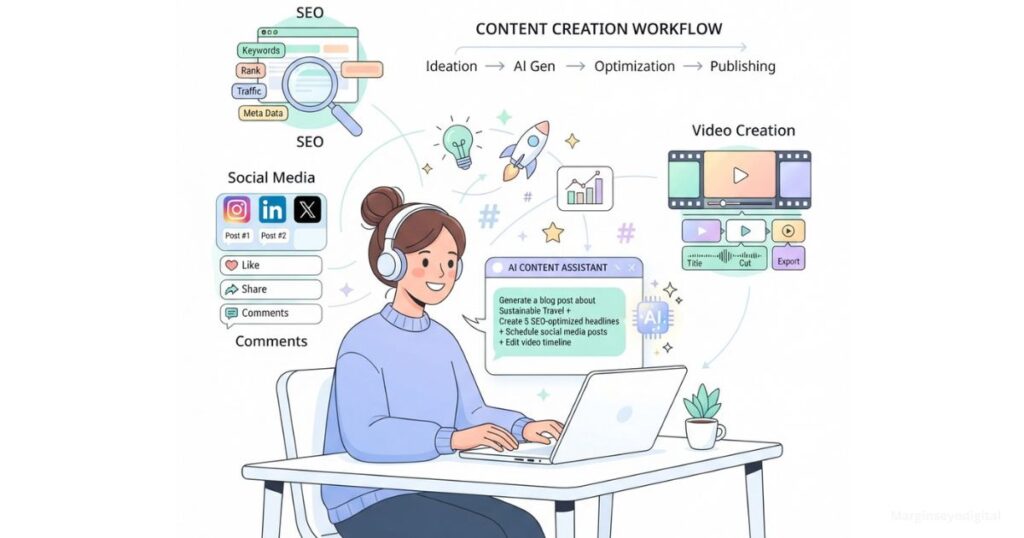
Learning how to use ChatGPT for content creation starts with one mindset shift: ChatGPT can help with almost every stage of content creation, but asking it to “write a blog post” is not a complete strategy. The best results come from using it as a structured assistant for planning, drafting, editing, repurposing, and quality control—while the human creator remains responsible for accuracy, originality, and final decisions. This article breaks that structure into a repeatable workflow, then applies it separately to SEO content, social media, and video, so you’re not guessing how the process changes from channel to channel.
Quick answer: Using ChatGPT for content creation works best as a nine-step process, define your audience, generate and verify ideas, build a brief and outline, draft section by section, add your own expertise, fact-check, optimize, and repurpose, applied separately to SEO, social media, and video, since each channel needs its own sequence, not one generic flow.
What ChatGPT Can (and Can’t) Do for Content Creation
ChatGPT is genuinely strong at a specific set of tasks: organizing scattered ideas into a structure, producing a first draft you can react to, rewriting one piece of content into multiple formats, and running an editing pass for clarity or repetition. What it can’t do is replace the parts of content that make it worth reading in the first place—your accuracy, your original experience, your brand voice, and your judgment about what’s actually true or relevant to your audience. Every section below assumes that split: ChatGPT handles structure and speed, you handle substance and final say.
The ChatGPT Content Creation Workflow
The ChatGPT content creation workflow runs in nine sequenced steps: define the audience and objective, generate and validate ideas, build an SEO brief, outline, draft section by section, add human expertise, fact-check, optimize, then repurpose. Once you understand this sequence, the SEO, social, and video sections that follow are just this same process applied to a specific output.
1. Define the audience and objective
Before any content gets written, get ChatGPT to help you clarify who it’s for and what it needs to do.
Prompt: I am creating content for [audience]. The goal is to [educate/generate leads/build authority/sell]. The topic is [topic]. Ask me five questions that will help clarify the audience’s problem and the desired outcome.
2. Generate and evaluate ideas
Prompt: Give me 15 content ideas about [topic] for [audience]. Group them by beginner education, practical tutorials, mistakes, comparisons, case studies, and opinions. Identify the reader problem behind each idea.
ChatGPT’s suggestions are a starting point, not a research report. Validate them using Google Search Console, keyword research tools, competitor analysis, customer questions, and actual sales conversations before you commit to one.
3. Create an SEO content brief
Prompt: Create a content brief for the keyword “[keyword].” Include the likely search intent, target reader, recommended title, H2 and H3 headings, questions to answer, examples to include, internal-link opportunities, CTA, and claims that require fact-checking. Do not invent search volume or competitor data.
That last instruction matters more than it looks. It stops you from treating unverified AI output as if it were real keyword research.
4. Build the outline
Prompt: Create a detailed outline for this article. Answer the main question in the introduction, use logical H2 and H3 headings, avoid overlapping sections, and include one practical example in every major section.
5. Draft one section at a time
Prompt: Write the section titled “[heading]” in 250–350 words. Use a practical, professional tone. Include one specific example and one actionable recommendation. Avoid generic phrases, exaggerated claims, and unsupported statistics. Do not repeat points covered in previous sections.
Writing section by section is far more controllable than asking for a complete 2,000-word article in one prompt. You catch drift in tone or accuracy early instead of untangling it from a wall of text.
Do this inside Canvas rather than a normal chat thread. Canvas keeps your prompt and the draft visible side by side, tracks version history, and now rolls out across every plan including Free—so instead of losing a section in a scrolling chat log, you’re editing it directly, marking up specific lines, and asking for revisions to just the part that’s off. For a multi-section article, that’s the difference between managing one document and hunting through a chat history for the version you actually want.
6. Add human expertise
This is where your content should stand out from everyone else using the same tool. Layer in what ChatGPT can’t generate on its own:
- Personal experience
- Local examples
- Original opinions
- Client or industry observations
- Real processes and screenshots
- First-hand testing
- Data from your own website
ChatGPT can organize ideas. It cannot automatically supply your experience, that part is still entirely on you.
7. Fact-check and edit
Prompt: Audit this draft for factual claims, outdated information, invented sources, exaggerated promises, repetition, generic wording, and unclear explanations. Create a table with the original claim, the problem, and the recommended correction. Do not replace uncertain information with an invented fact.
This step is not optional, and there’s a real number behind why. A Columbia Journalism Review citation audit found ChatGPT’s citation hallucination rate at 67% when web search is turned off—it drops substantially with browsing enabled, but “substantially lower” is still not zero. Keep web search on when you’re asking it to reference facts or sources, and run this audit regardless. Never treat a citation or a statistic ChatGPT produces as verified until you’ve checked it against the actual source yourself.
8. Optimize for SEO
Use ChatGPT to generate title variations, meta descriptions, H2/H3 improvements, FAQ ideas, internal-link anchor text, content gap analysis, readability edits, and image alt-text suggestions. It should support your SEO tools and search-result analysis, not replace them.
9. Repurpose the content
Prompt: Repurpose this article into a 45-second video script for digital marketers. Start with a strong problem-based hook, include three practical steps, use natural spoken language, and end with a CTA. Do not introduce information that is not in the article.
One article can realistically become a LinkedIn post, a five-slide carousel, a short TikTok or Reels script, an email newsletter, and a handful of short social posts—each rewritten for its format, not just copy-pasted shorter.
For teams doing this at volume, ChatGPT Work (launched July 2026) is built specifically for this kind of multi-output job—hand it the outcome you want and it works through the repurposing across formats independently, handing back finished pieces instead of one chat reply at a time. It’s a genuine time-saver for the mechanical part of the job. It is not a reason to skip the human read-aloud and platform-native check in the sections below—faster output at the drafting stage just means the review stage matters more, not less.
How to Use ChatGPT for SEO Content
Using ChatGPT for SEO content means five sequenced steps: group keywords by intent, generate and verify the brief, build the outline against that brief, draft section by section, then run the optimization pass last. Here’s each one in detail.
Step 1: Group keywords by intent before writing anything. We take the raw keyword list and prompt: “Group these keywords by search intent—informational, commercial, or transactional—and note which stage of the buyer journey each belongs to.” This decides the angle before a single sentence gets written. A commercial-intent keyword written with an informational angle is a wasted article, no matter how well it’s optimized afterward.
Step 2: Generate the brief, then verify it line by line. Using the brief prompt from the workflow above, we get back a document with target reader, recommended headings, and questions to answer. The line we check first, every time, is any specific number—search volume, “competitors are ranking for this,” difficulty score. ChatGPT doesn’t have live access to that data, so those figures are estimates dressed up as facts. We pull the real numbers from Search Console or Ubersuggest and swap them in. Skip this step and you’re publishing a brief built on invented data.
Step 3: Build the outline against the brief, not from scratch. The outline prompt runs against the verified brief, not the raw idea—this is what keeps headings from drifting off the actual search intent by the third H2.
Step 4: Draft section by section, checking tone drift every 2–3 sections. This is where most AI content collapses—not in the first section, but by section four or five, when phrasing starts repeating and the tone flattens out. We read every third section back-to-back with the first to catch it early.
Step 5: Run the optimization pass last, never first. Titles, meta descriptions, FAQ ideas, alt text—all of it happens after the human edit, not before. Optimizing a draft that still needs fact-checking just means re-optimizing it twice.
Why this level of process discipline matters more now than it did two years ago: a 2026 Siege Media and Wynter survey of content marketers found 74% now use AI for ideation, 61% for outlining, and 44% for drafting. That’s a lot of content going out the door built on the same shortcuts—which is exactly why the verification step in step 2 is the one most people skip, and the one that separates a trustworthy brief from a confident-sounding guess.
How to Use ChatGPT for Social Media Content
Using ChatGPT for social media content means five steps: pull out the core argument, prompt separately for each platform, read every draft aloud, check platform-native formatting, then give it a human final read before scheduling. Here’s the actual sequence we run when one article becomes a week of social content, not just a shorter copy-paste.
Step 1: Pull the core argument out first, before touching format. Before prompting for any specific platform, we ask ChatGPT to state the single strongest point in the article in one sentence. If that sentence isn’t sharp, no amount of platform-specific rewriting fixes it—every post downstream inherits the same weak center.
Step 2: Prompt separately for each platform, never batch them. LinkedIn post, five-slide carousel, three short posts—each gets its own prompt run against the source article, not one prompt asking for “social media versions” of everything at once. Batched prompts produce posts that all sound the same with different line breaks.
Step 3: Read every draft out loud before publishing. This is the step that actually catches what’s wrong. AI drafts default to a slightly safe, corporate register—technically correct, but nothing anyone would actually say out loud. If a line makes you wince reading it aloud, that’s the line to cut.
Step 4: Check platform-native formatting, not just tone. A LinkedIn post that opens with a hashtag or a carousel slide with two full sentences on it reads as AI-generated before anyone even processes the words. We check line breaks, hook length, and CTA placement against what actually performs on each platform, not against what the draft handed us.
Step 5: Schedule with a human final read, not an approval skim. The last read isn’t checking for typos—it’s checking whether this still sounds like the person or brand posting it, not like a summary of the article.
The scale of what’s actually happening on the other end of this makes the discipline non-optional. OpenAI reported ChatGPT crossed 900 million weekly active users in February 2026, and it holds an estimated 80% share of the worldwide AI chatbot market. When that many people are running the same tool through similar prompts, the read-aloud and platform-native check in steps 3 and 4 are what stop your post from sounding like everyone else’s.
Prompt for step 2, LinkedIn specifically: Turn this article into a LinkedIn post under 200 words. Open with a specific, non-generic hook. Keep my direct tone. End with one clear question, not a generic call to engage.
How to Use ChatGPT for Video Scripts
Using ChatGPT for video scripts means writing a hook-first opening, three practical steps in the body, spoken (not written) language, and a direct CTA—then reading the result aloud before filming, since video needs its own structure, not a shorter version of the article dropped into a script format.
Prompt: Repurpose this article into a 45-second video script for [audience]. Start with a strong problem-based hook, include three practical steps, use natural spoken language, and end with a CTA. Do not introduce information that is not in the article.
Once you have a draft, read it aloud before you film anything. Scripts that look fine on the page often have phrasing that’s awkward to actually say—a sentence that reads clean but forces you to catch your breath mid-line. That read-aloud pass is the video equivalent of the fact-check step: it’s where the script stops being AI output and starts being something you’d actually say on camera.
How to Write Better Prompts
Writing a good ChatGPT prompt means naming the audience, the format, the length, and what to avoid—vague prompts produce vague, generic answers, while specific constraints produce usable ones.
| Weak prompt | Improved prompt |
|---|---|
| Write a blog about SEO | Write a 1,200-word guide for Kenyan small-business owners who want to improve local search visibility. Explain the process simply, include a Google Business Profile example, and end with a consultation CTA. |
| Make this better | Improve this introduction for clarity and specificity. Preserve my viewpoint, remove generic phrases, and provide two alternatives. |
| Give me keywords | Based only on the keyword list I provide, group the terms by search intent and suggest where each group belongs in the article. Do not invent search-volume data. |
Notice the pattern: every improved prompt tells ChatGPT what to avoid, not just what to produce. That constraint is usually what separates usable output from something you have to rewrite anyway.
What ChatGPT Should Not Do
There’s a line between using ChatGPT as an assistant and letting it operate unsupervised. Don’t let it:
- Publish content without human review
- Invent statistics or sources
- Replace original research
- Make legal, medical, or financial claims without expert verification
- Copy another writer’s style or content
- Handle confidential business or customer information
- Generate hundreds of near-identical pages
Every one of these is a shortcut that looks efficient short-term and creates a credibility or compliance problem later.
Common Mistakes to Avoid
The list above is about what the tool shouldn’t do. This is about what creators do wrong when using it:
- Asking for a full 2,000-word article in one prompt instead of drafting section by section
- Skipping the human-expertise pass and publishing the first draft as-is
- Publishing without running a fact-check audit on claims and stats
- Reusing the same tone and structure across SEO, social, and video instead of adapting to each format
- Treating AI-generated ideas as validated keyword research without checking a real tool
Frequently Asked Questions
How do I use ChatGPT the right way as a writer? Use it as a drafting and editing assistant, not an author. Work section by section instead of one-shotting a full piece, and keep the fact-check and human-expertise steps from the workflow above non-negotiable—those are what keep the final piece yours. Set your tone, audience, and formatting rules once in Custom Instructions and let Memory carry them across sessions—that’s what keeps your voice consistent across SEO, social, and video instead of re-explaining your style in every new chat.
How do I write a good prompt for ChatGPT? Specificity beats a “smarter” prompt every time. Name the audience, the format, the length, and what to avoid—see the weak-vs-effective table above for exactly how that plays out.
How do I use ChatGPT for blog post creation? Follow the SEO workflow above: brief, then outline, then a section-by-section draft, then a fact-check pass. Asking for “a blog post” as a single prompt skips every step that makes the result usable.
Can you actually use ChatGPT to create content? Yes, for structure, first drafts, and repurposing across formats. No, for original reporting, verified facts, or your brand voice—those still need a human pass, every time.
How do I use ChatGPT as a beginner? Start with one channel and the nine-step workflow above before trying to run SEO, social, and video at once. Getting the process right on one output is more useful early on than spreading thin across three.
Which AI tool is best for content creation? It depends on the task. ChatGPT is strong for drafting and versatility across formats; dedicated SEO tools like Surfer or Clearscope handle on-page optimization better; video editing still needs purpose-built tools. Don’t expect one tool to cover everything well.
What are some good ChatGPT prompts for content creation? The prompts used throughout this article—for briefs, outlines, section drafts, fact-checks, and repurposing—are built for exactly that. A prompt only works well attached to a real step in the process, not as a standalone one-liner.
How do I start doing AI content creation? Pick one piece of content, run it through the nine-step workflow above from audience definition to repurposing, and treat that as your template going forward rather than trying to build a full system before publishing anything.
What are the top 10 AI prompts for content creation? There isn’t one universal top 10—the right prompt depends on the stage you’re at. The strongest prompts are the ones in this article that are tied to a specific step: defining audience, briefing, outlining, drafting, fact-checking, and repurposing.
How do content creators actually use AI? Most take one source piece and turn it into multiple channel-specific outputs—a blog post becomes a LinkedIn post, a carousel, and a short video script—editing each one for tone and accuracy before it goes out, rather than publishing any of it untouched.
About the author: Elsama Pascal is an SEO and Website Designer based in Nairobi, Kenya, with 4+ years of experience across content strategy, SEO, and campaign management. He works at Marginseye Digital, an agency offering SEO, Social Media Management, Content, and Website Services.