Canva has changed the world of content creation. Content development has become a necessity for businesses, creators, and marketers. Whether you’re a small business owner, a freelance designer, or a student preparing a presentation, AI-powered tools are reshaping how we create content. This design tool, is a globally recognized design platform, and it has been a trailblazer in this space. The question is does it truly live up to the hype as the best in AI content creation? Let’s dive in and find out.
Why AI Is Revolutionizing Content Creation
Artificial intelligence (AI) has become the backbone of creative design. It allows users to automate repetitive tasks, generate ideas, and achieve professional-grade designs in minutes. A staggering 60% of marketers now rely on AI tools to streamline their workflows and enhance creativity.
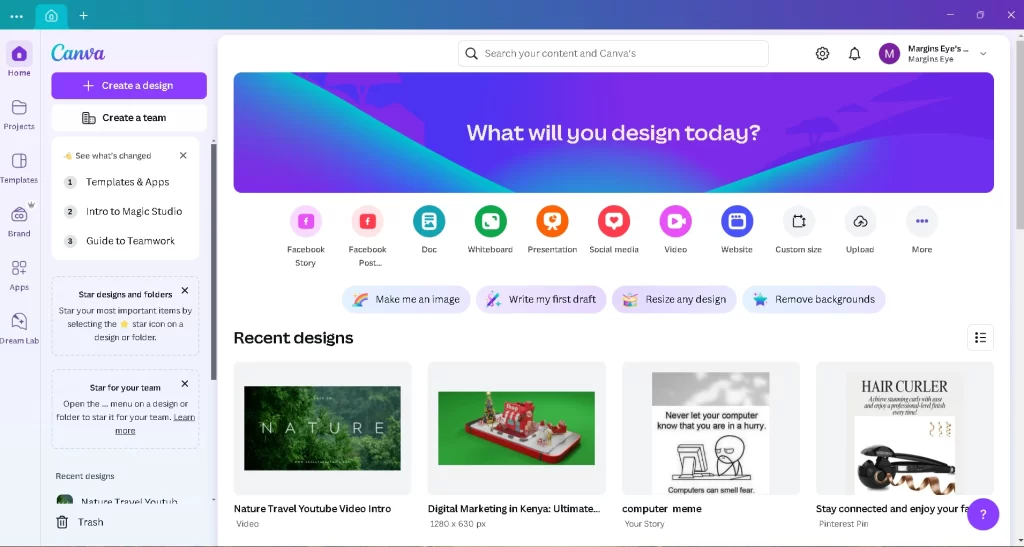
But why this digital Content Creation Tool? The platform, launched in 2013, has continuously innovated, incorporating cutting-edge AI tools to stay ahead of the curve. With features like Magic Resize, Text-to-Image, and a user-friendly drag-and-drop interface, this Quick Graphic Design tool has attracted over 135 million active users worldwide.
What Makes This Visual Content Maker Unique?
This Tool for AI-Generated Designs appeal lies in its accessibility and versatility. Let’s explore the core reasons it stands out:
1. User-Friendly Design
Unlike advanced tools like Adobe Illustrator or Photoshop, this content maker requires zero design expertise. Its intuitive interface ensures that anyone, regardless of skill level, can create professional content effortlessly.
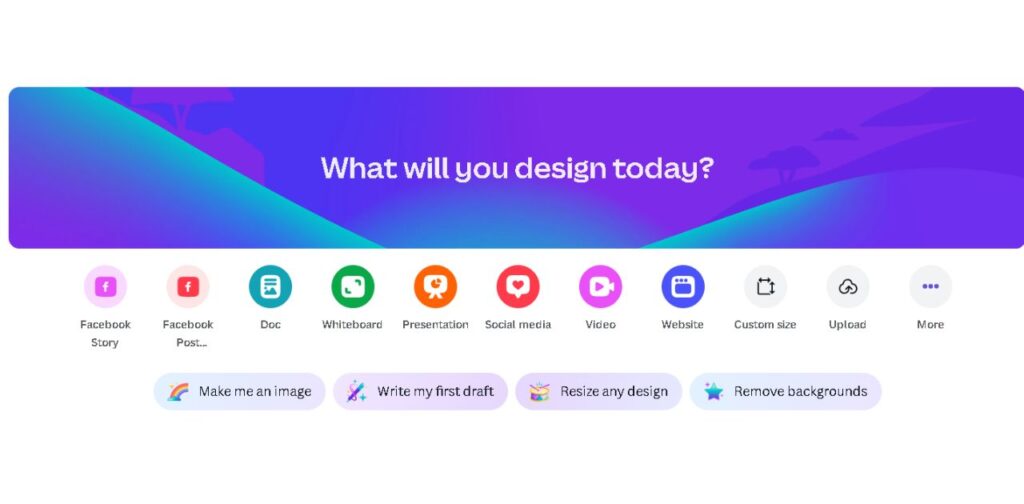
2. Extensive Template Library
With over 250,000 free templates, it offers solutions for every need—be it social media posts, resumes, or marketing flyers. These templates are also customizable, ensuring that users can add a personal touch.
3. Seamless Collaboration
This Visual Content Maker’s real-time collaboration tools make it perfect for teams. You can invite teammates, leave comments, and work simultaneously on designs.
4. Integration with Popular Apps
This affordable design tool integrates seamlessly with platforms like Google Drive, Slack, and HubSpot. These integrations simplify workflows and make it easier to export and share designs.
AI-Powered Features in Canva
1. Magic Resize
This AI tool allows users to resize designs for different platforms with a single click. Whether you’re adapting a poster for Instagram Stories or a Facebook ad, Magic Resize ensures your content looks perfect across all formats.
2. Text-to-Image
Canva’s Text-to-Image AI generates custom visuals based on textual descriptions. For instance, type “a futuristic cityscape at sunset,” and this AI Content creator tool will generate unique artwork.

3. Background Remover
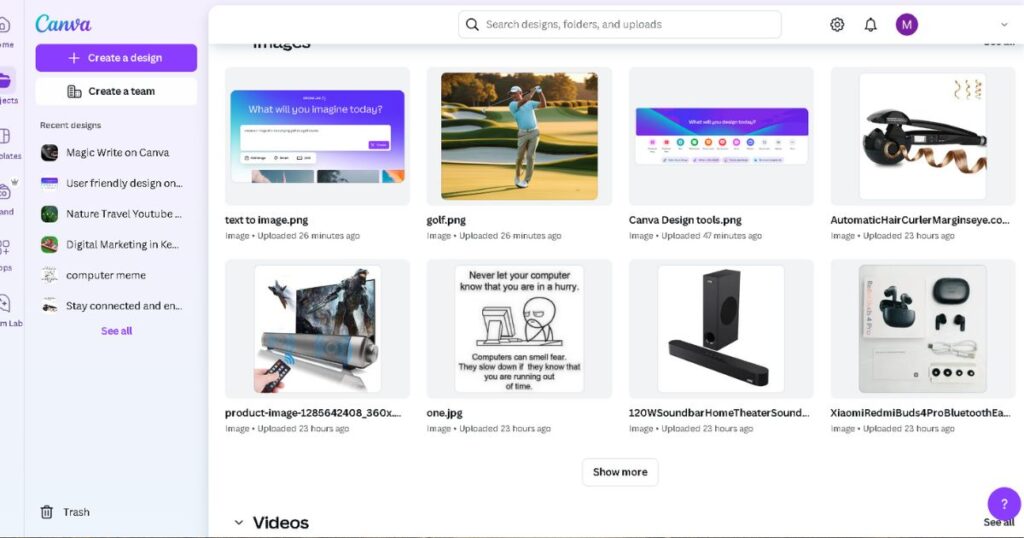
Ideal for e-commerce and personal branding, this tool instantly removes image backgrounds to enable you to create an amazing product image or whatever you might choose.
4. AI-Powered Presentations
This easy content creator has AI that can draft entire presentations, complete with slides, layouts, and transitions, based on the content you provide.
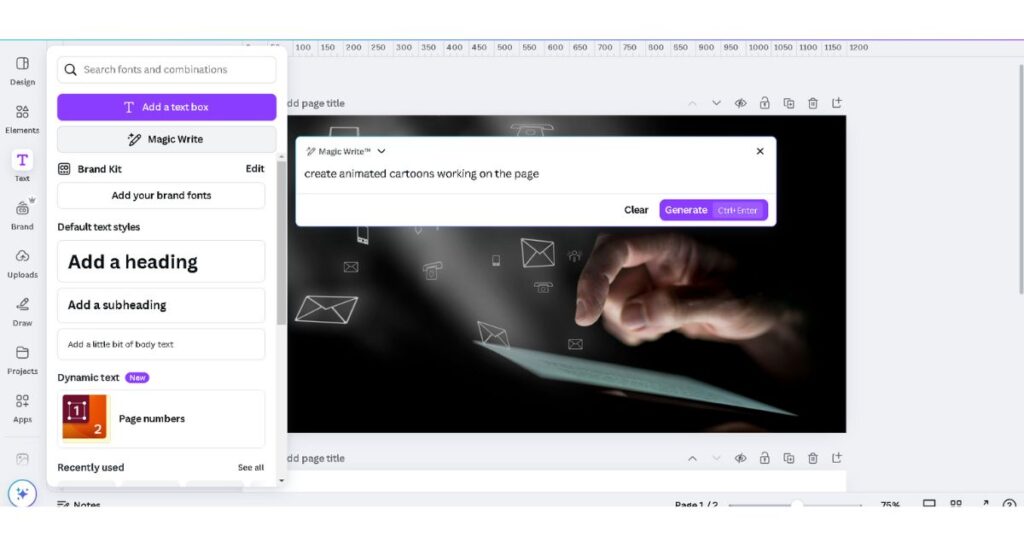
5. Magic Write
For those juggling copywriting tasks, Magic Write generates on-brand text for ads, social posts, and more.
Comparing Canva to Other AI Content Creation Tools
While this AI Content Creation Platform shines, it’s not the only player in the game. Let’s compare it with popular alternatives:
1. Adobe Express
- Pros: Advanced features like branded templates and stock media access.
- Cons: Higher learning curve compared to Canva.
2. Figma
- Pros: Exceptional for team collaboration and prototyping.
- Cons: Lacks the simplicity and templates that Canva offers.
3. Visme
- Pros: Tailored for data visualization and presentations.
- Cons: Less variety in templates compared to Canva.
4. Crello (now VistaCreate)
- Pros: Affordable and beginner-friendly.
- Cons: Limited AI capabilities compared to Canva.
| Feature | Canva | Adobe Express | Visme | Figma |
|---|---|---|---|---|
| AI Text-to-Image | ✅ | ❌ | ❌ | ❌ |
| Background Remover | ✅ | ✅ | ✅ | ❌ |
| Magic Resize | ✅ | ❌ | ❌ | ❌ |
| Ease of Use | ✅ | ❌ | ✅ | ❌ |
Real-World Case Studies
1. Small Business Success
A bakery in Nairobi uses Canva Pro to design weekly menus and promotional flyers. The Text-to-Image feature helps them create eye-catching visuals for Instagram posts, boosting foot traffic by 30%.
2. Freelance Designer
A freelancer in Toronto uses Canva’s Magic Write to generate ad copy, saving hours per week. The AI-powered background remover helps streamline product photo edits for clients.
3. Personal Use
A bride-to-be in Melbourne used this simple AI design tool to design wedding invitations. With customizable templates and Magic Resize, she created digital and printed invites in minutes.
Tips to Maximize Canva’s AI Capabilities
- Use Templates as Starting Points
Begin with a template and tweak it to match your brand identity. This design tool’s drag-and-drop editor makes this seamless. - Experiment with Text-to-Image
Input creative prompts to generate unique visuals that stand out. - Leverage Magic Resize for Multi-Platform Campaigns
Save time by creating platform-specific designs in one go. - Utilize the Brand Kit
Keep your colors, fonts, and logos consistent across all designs by using this tool’s Brand Kit.

Conclusion: Is Canva the Best in AI Content Creation?
This Digital Content Creation Tool has carved a niche for itself by combining user-friendliness, AI innovation, and versatility. While other tools offer similar features, this AI-Assisted Content Creator’s accessibility and broad appeal make it a favorite among content creators worldwide.
So, is Canva the best? If you value ease of use, powerful AI tools, and endless design possibilities, then this AI content creation might just be your ultimate content creation partner. Want to learn about more tools?
With such a great tool as this, what if you combined another great content creation tool, find out more about hubspot for content creation, here.
FAQs
1. Is Canva’s AI suitable for beginners?
Absolutely. This content creator’s AI tools are intuitive and require no prior design experience.
2. How does Canva ensure data privacy?
This AI design tool employs robust security measures, including encryption and compliance with global data protection regulations.
3. Can Canva replace professional design software?
For most casual users and small businesses, this affordable design tool is sufficient. However, professional designers may still prefer tools like Adobe Photoshop for advanced needs.
4. What is Canva’s AI roadmap?
This Quick Graphic Design tool plans to enhance existing features and introduce new tools focusing on automation and personalization.
5. Is Canva free to use?
Yes, this content tool offers a free plan with access to thousands of templates, fonts, and graphics. For advanced features like the Brand Kit, Magic Resize, and premium stock content, you’ll need a Pro subscription.
6. What is the difference between Canva Free and Canva Pro?
The Free plan provides basic tools, templates, and limited storage. Its Pro version unlocks advanced features such as unlimited storage, premium templates, Magic Write, Brand Kit, and more, making it ideal for businesses and professional designers.
7. How does Canva’s AI compare to Adobe’s AI tools?
This content creation tool’s AI focuses on simplicity and user accessibility, while Adobe’s AI tools are geared toward advanced, professional-grade designs. For casual creators or small businesses, this AI tool is often more user-friendly and affordable.
8. Can Canva create videos using AI?
Yes, this design tool includes a video editor with AI capabilities like automatic resizing and customizable video templates. It supports transitions, animations, and audio integration, making video creation quick and simple.
9. Is Canva suitable for creating websites?
Amazing AI powered design tool offers website templates, allowing users to design visually appealing web pages. However, these designs are more suited for basic needs like landing pages or portfolios rather than full-scale websites.
10. How secure is Canva for storing designs?
This design tool employs industry-standard encryption to ensure your designs and data are secure. It’s also GDPR-compliant and regularly updates its security measures to protect user privacy.
11. Does Canva support team collaboration?
Yes, this content creation tool is excellent for team collaboration. It allows multiple users to work on a design simultaneously, leave comments, and share feedback in real time.
12. Can Canva’s AI help with branding?
Absolutely. This design tool’s Brand Kit feature allows you to store and apply your logo, brand colors, and fonts across all designs, ensuring consistency. The AI tools also assist in creating on-brand content quickly.
13. Are there any limitations to Canva’s AI tools?
While this AI tools are robust, they are not as customizable as those found in professional-grade software. Additionally, highly complex designs may require manual tweaks beyond what AI can handle.
14. Can Canva be used for print designs?
Yes! this design tool provides high-resolution exports suitable for printing. You can design brochures, posters, business cards, and more, and even use Canva Print for professional printing services.
15. Does Canva offer any learning resources?
This content creation tool provides an extensive library of tutorials, webinars, and articles to help users learn design skills and maximize its features.
16. How does Canva’s Magic Write compare to standalone AI writing tools?
Magic Write is excellent for generating short-form content like social media captions, headlines, or taglines. However, for long-form content or in-depth SEO writing, dedicated tools like Jasper or ChatGPT may be more suitable.
17. Can I integrate Canva with other tools?
Yes, Canva integrates with platforms like Google Drive, Dropbox, Slack, and even social media channels for seamless sharing and collaboration.
18. What file formats does Canva support?
This quick Graphic Design tool supports exports in PNG, JPG, PDF, MP4, and GIF formats, catering to various digital and print needs.
19. Can Canva handle multi-language designs?
Yes, this is the easiest way to create graphics online and supports multiple languages. You can easily design content in your preferred language using custom fonts and text tools.
20. Is Canva good for e-commerce businesses?
Absolutely! Canva offers tools for creating product mockups, social media ads, email headers, and even product catalogs, making it a valuable asset for e-commerce businesses.
21. How can I make my Canva designs more unique?
You can experiment with custom fonts, upload your own images, and use this beginner-Friendly Design Platform’s Text-to-Image feature to generate distinctive visuals. Additionally, layering elements creatively can make your designs stand out.
22. What happens if my internet connection drops while using Canva?
This affordable Design Tool for Content Creators autosaves your work periodically, ensuring that no progress is lost even if your internet connection is interrupted.
23. Can I use Canva designs commercially?
Yes, this All-in-One Design Platform allows commercial use of designs created using its free elements. However, some premium content may require proper licensing, so always check the terms for any paid assets.
24. Does Canva support non-designers?
Definitely! this AI Design tool is designed for users with no design experience, offering drag-and-drop functionality, pre-made templates, and AI tools to simplify the process.
