
If you’ve spent any time in the content marketing world, you’ve probably landed on this question at some point: should I be using Surfer SEO? Maybe you’ve seen it recommended in a Facebook group, referenced in an SEO course, or mentioned by a colleague who swears by it. Maybe you’ve already tried it and you’re still not sure what to make of the Content Score staring back at you.
These are fair questions. Surfer SEO sits in a category of tools that are genuinely useful when used correctly — and genuinely oversold when marketed as shortcuts. This Surfer SEO review doesn’t exist to hype the platform or tear it down. It exists to explain exactly what the tool does, how its underlying system works, where it adds real value, and where it hits a ceiling.
By the end of this, you’ll have a clear picture of whether Surfer SEO belongs in your stack — and at what tier.
| Key Takeaways |
| 1. Surfer SEO is an on-page content optimization platform — not a full SEO suite. It excels at one layer of the stack. |
| 2. The Content Score is a directional signal with a 26–28% correlation to actual rankings, not a guarantee. |
| 3. It works best for content teams producing high volumes of keyword-targeted content who already have a keyword strategy in place. |
| 4. The AI writing tool (Surfer AI) generates usable drafts but requires significant human editing, especially for nuanced or experience-based content. |
| 5. At $99–$219/month, ROI depends heavily on publishing frequency and team size. |
What Surfer SEO Actually Is
Let’s define the tool before reviewing it, because the market consistently oversimplifies it.
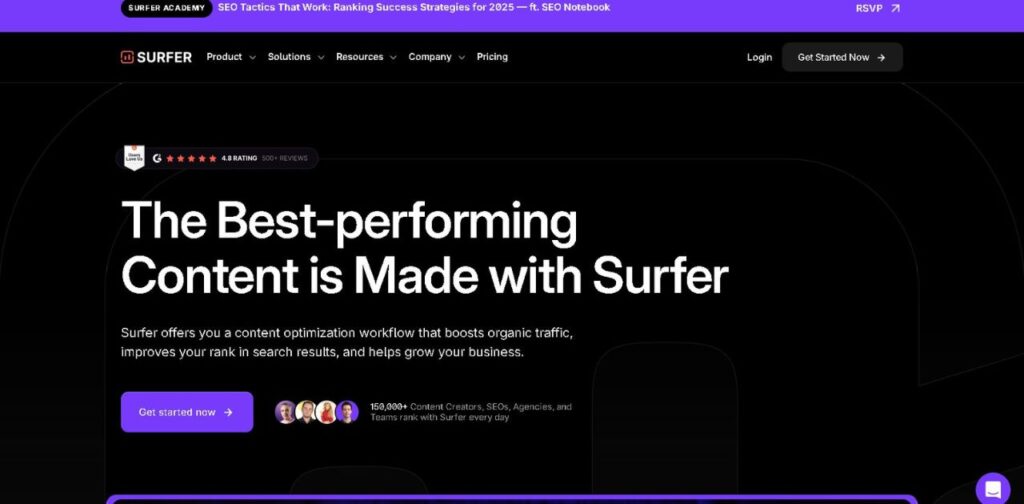
Surfer SEO is a cloud-based on-page content optimization platform. Its core job is to analyze the top-ranking pages for a given keyword and reverse-engineer the patterns those pages share — things like word count, heading structure, keyword frequency, NLP entities, and content depth. It surfaces those patterns as guidelines you can follow while writing or editing your own content.
That’s it. That’s the mechanism. Surfer doesn’t build backlinks, doesn’t manage your technical SEO, doesn’t handle keyword research at the strategic level, and doesn’t know whether your business has the domain authority to rank for what you’re targeting. It optimizes the content layer — and within that lane, it’s one of the better tools on the market.
Understanding this boundary is the most important thing you can take from any Surfer SEO review. The tool’s effectiveness is directly tied to whether you’re using it for what it was built to do.
How the Core System Works
The SERP Analysis Engine
Every recommendation Surfer makes starts with a SERP pull. When you create a new content project, Surfer crawls the top-ranking pages for your target keyword — typically the top 5 to 20 results — and analyzes over 500 on-page signals across all of them. It’s looking for correlations: what do these pages have in common that lower-ranking pages don’t?
The output becomes your optimization target. Surfer identifies the average word count of top performers, the keyword density patterns, how many headings they use, how those headings are structured, which NLP entities (semantically related terms) appear most frequently, and even the typical image count. These become the benchmarks your content is measured against.
The Content Score
As you write inside Surfer’s Content Editor, a live Content Score updates in real time. The score reflects how closely your content aligns with the patterns Surfer has identified among top-performing pages. The platform recommends targeting a score between 67 and 100.
Here’s the tradeoff you need to understand: the Content Score is a directional signal, not a ranking guarantee. Independent analysis has found roughly a 26–28% correlation between Surfer’s Content Score and actual Google rankings. That’s meaningful — but it also means the score explains less than a third of the ranking variance. The rest comes from factors Surfer doesn’t measure: backlink authority, domain trust, brand signals, user engagement, and query intent alignment.
A high Content Score helps you avoid obvious optimization gaps. It doesn’t override the rest of your SEO stack.
NLP Entity Optimization
One of Surfer’s more technically substantive features is its NLP (Natural Language Processing) entity analysis. Rather than just tracking keyword density, Surfer identifies the semantic concepts and related terms that consistently appear in top-ranking content. It then surfaces these as recommended inclusions — not just the primary keyword, but the surrounding concept map that signals topical depth to search engines.
This moves content optimization closer to how Google’s algorithms actually evaluate content quality — not just keyword matching, but semantic coverage of a topic. For writers who understand the concept, it produces more comprehensive content. For writers who don’t, it can produce keyword-stuffed paragraphs dressed up as semantic optimization.
| Already using Surfer SEO and want to get more from your content workflow? |
| → Pairing it with a visual content tool can significantly improve how your articles perform. See how Canva for Content Creation fits into the picture — link at the end of this article. |

Feature Breakdown: What you’re Actually Getting
Content Editor
This is Surfer’s flagship feature and the one most users spend the majority of their time in. The Content Editor gives you a split-screen interface — your writing space on the left, optimization recommendations on the right. As you type, the sidebar updates your Content Score and surfaces suggested keywords, flagging which ones you’ve used and which ones are still missing.
The editor integrates directly with Google Docs and WordPress via browser extension, which means you don’t have to copy and paste between platforms. You get real-time SEO feedback inside your existing workflow. That integration alone saves meaningful time for teams who publish frequently.
The customization panel is worth noting: before you start writing, Surfer lets you choose which competitor pages you’re optimizing against. By default, it selects based on SERP data, but you can remove pages that aren’t genuinely comparable — an e-commerce product page, for instance, if you’re writing a blog post. Getting this setup right matters more than most users realize.
SERP Analyzer
The SERP Analyzer gives you a deeper look at individual competitor pages. You can pull up any URL ranking for your keyword and see a breakdown of its on-page elements: word count, keyword usage, heading structure, image count, and more. It’s useful for competitive content research — understanding not just what the average looks like, but what specific high-performing pages are doing differently.
This feature is available on Scale and Enterprise plans, not Essential.
Content Audit
The Content Audit tool allows you to analyze existing pages on your site against current SERP standards for a target keyword. You input a URL and a keyword, and Surfer evaluates how the page stacks up against what’s currently ranking. It surfaces specific gaps — missing terms, thin sections, structural issues — with recommendations for improvement.
For content teams managing large existing libraries, this is one of Surfer’s most practical tools. Updating underperforming content is often more efficient than publishing new pieces, and the Audit tool gives you a structured way to identify which pages to prioritize.
Topical Map (Content Planner)
Surfer’s Content Planner generates a cluster of related content ideas around a seed topic or keyword. It maps out what Surfer considers a comprehensive topical coverage strategy — essentially suggesting a content calendar built around semantic relevance rather than individual keywords in isolation.
The concept is sound. Topical authority — building a body of interlinked content that covers a subject comprehensively — is a legitimate SEO strategy. The limitation is that Surfer’s clustering is pattern-based rather than intent-based. It identifies what topics cluster together in existing SERPs, but it doesn’t evaluate whether those topics align with your business goals or your audience’s actual questions. Human editorial judgment is still required to filter the output.
Surfer AI
Surfer AI is the platform’s one-click article generation feature. You input a target keyword, review and adjust the outline Surfer proposes, and generate a full draft. The AI uses NLP and SERP data to produce content that’s pre-optimized for keyword coverage and structure.
The reality of the output is more nuanced than the feature description suggests. Surfer AI produces decent structural scaffolding — the article will hit the right topics, use relevant terms, and maintain reasonable length. Where it consistently falls short is in depth, specificity, and voice. For product reviews, how-to guides requiring real experience, or any content where originality matters, the AI output reads as generic. It needs substantial editing before it’s ready to publish — not light polishing.
The cost structure adds a layer of consideration: AI article generation is included in paid plans but subject to monthly quotas, and additional articles carry a per-article cost that can accumulate quickly at scale.
Surfer SEO Pricing: Which Plan Fits Your Situation
Surfer SEO operates on a tiered subscription model. Pricing varies slightly between monthly and annual billing, with annual plans offering roughly 20% savings.
| Plan | Price (Monthly) | Articles/Month | AI Articles | Best For |
| Essential | $99/mo ($79 annual) | 30 | 5 | Freelancers & small teams |
| Scale | $219/mo ($175 annual) | 100 | 20 | Growing agencies & content teams |
| Enterprise | Custom | Custom | Custom | Large orgs, custom workflows |
The Essential plan covers the core workflow for individual writers and small teams: Content Editor access, content audits, topical mapping, and basic AI article generation. The usage limits — 30 articles per month and 5 AI-generated pieces — are workable for a solo content marketer or a team publishing two to three pieces weekly.
The Scale plan unlocks higher usage limits, SERP Analyzer access, and additional AI features. For agencies managing multiple clients or content teams with consistent publishing velocity above 20 pieces per month, the Scale tier is likely the right entry point.
The per-article cost for AI generation beyond plan limits adds up. If you’re planning to use Surfer primarily as an AI writing tool rather than an optimization layer, the economics require careful calculation against your actual publishing volume.
The Real Tradeoffs: Where Surfer SEO Works and Where It Doesn’t
What Surfer SEO Does Well
- Gives content teams a consistent, data-backed optimization standard across all writers
- Reduces time spent manually researching what top-performing content looks like
- Integrates into existing workflows (Google Docs, WordPress) without friction
- Surfaces semantic gaps — terms and concepts that writers might overlook
- The Content Audit tool is genuinely useful for refreshing existing content libraries
- Scales well for teams with high publishing velocity
Where Surfer SEO Falls Short
- The Content Score is not a reliable predictor of rankings on its own — it’s one input, not the answer
- Surfer AI produces generic drafts that require significant editing for nuanced or experience-dependent content
- No backlink analysis, domain authority data, or technical SEO capabilities
- Keyword research is basic compared to dedicated tools like Ahrefs or Semrush
- Blindly following optimization suggestions can produce formulaic content that competes on density but not on genuine value
- Limited language support beyond English as of 2025
- Pricing is steep for solo writers or businesses publishing fewer than 8–10 pieces per month
The Over-Optimization Risk
This is the limitation that most Surfer SEO reviews gloss over. Because the tool’s core mechanic is reverse-engineering what already ranks, it naturally pushes content toward mimicking existing top performers. If enough people use the same tool to optimize for the same keyword, you get a SERP full of structurally similar content — same length, same headings, same entity distribution.
That’s not a failure of the tool. It’s a structural tradeoff of pattern-based optimization. The remedy is editorial judgment: use Surfer’s recommendations as a floor, not a ceiling. Meet the baseline it sets, then add what it can’t measure — genuine expertise, original perspective, specific examples, and a distinct voice.
Who Surfer SEO Is Actually Built For
Surfer SEO works best for: content marketing teams with an established keyword strategy, agencies managing multiple clients across keyword-targeted verticals, and in-house SEO teams that publish consistently and need a standardized optimization framework. If you’re producing 10 or more keyword-targeted pieces per month and you already understand basic SEO principles, Surfer adds real value to the production process.
It’s less suited for: solo writers or bloggers with low publishing frequency (the economics don’t work), businesses whose content strategy prioritizes brand narrative or thought leadership over keyword targeting, teams looking for an all-in-one SEO platform (you’ll still need a separate tool for technical SEO and backlink analysis), and anyone expecting the AI writer to replace human content creation.
How Surfer SEO Compares to Alternatives
The content optimization tool category has grown significantly. Surfer SEO isn’t operating in a vacuum.
| Tool | Content Optimization | AI Writing | Keyword Research | Backlinks | Starting Price |
| Surfer SEO | ✅ Core strength | ✅ Included | ⚠️ Basic | ❌ No | $99/mo |
| Clearscope | ✅ Strong | ❌ No | ⚠️ Basic | ❌ No | $170/mo |
| Frase | ✅ Strong | ✅ More robust | ⚠️ Basic | ❌ No | $45/mo |
| MarketMuse | ✅ Deep | ⚠️ Limited | ✅ Good | ❌ No | $149/mo |
| Semrush | ⚠️ Via add-on | ✅ Included | ✅ Comprehensive | ✅ Yes | $139/mo |
Frase offers a more robust AI writing environment at a lower entry price point and pulls competitor outlines more usefully during the research phase. Clearscope is often cited as producing cleaner optimization output but lacks AI writing entirely. MarketMuse provides deeper topical authority analysis at a premium price. Semrush covers far more of the SEO stack but its content optimization capabilities are shallower than dedicated tools.
Surfer’s differentiation lies in the balance of its features — it’s the most fully integrated content optimization workflow tool in the mid-market tier. For teams that want content planning, real-time optimization, auditing, and AI assistance in a single platform at a predictable price, Surfer remains a strong contender.
The Verdict: Is Surfer SEO Worth It?
The honest answer: it depends on one variable more than any other — your publishing volume.
If your team publishes 10 or more keyword-targeted pieces per month and operates with some existing understanding of SEO fundamentals, Surfer SEO is likely to pay for itself in time saved and consistency gained. The Content Editor alone — with its real-time scoring and Google Docs integration — is worth the Essential plan for many professional content marketers.
If you’re publishing fewer than eight pieces per month, or if you’re still building your keyword strategy from scratch, the ROI is harder to justify. At $99/month, you’d be paying for infrastructure you’re not using fully.
The most important frame: treat Surfer as what it is — a production efficiency tool for content that’s already strategically positioned. It accelerates execution. It doesn’t replace strategy, subject matter expertise, or the editorial judgment that separates content people actually read from content that technically checks boxes.
Structured Summary
- Surfer SEO is an on-page content optimization platform that reverse-engineers SERP patterns to guide content production.
- Its Content Score is a useful directional signal with a 26–28% correlation to actual rankings — helpful but not conclusive.
- Core features include the Content Editor, SERP Analyzer, Content Audit, Topical Map, and Surfer AI writer.
- Pricing runs $99–$219/month depending on usage needs, with annual billing reducing costs by roughly 20%.
- The tool works best for content teams with high publishing velocity and an existing keyword strategy — not as a standalone SEO solution.
- Over-optimization risk is real: Surfer sets a floor for content quality, not a ceiling. Editorial judgment remains essential.
- Competitors include Frase, Clearscope, MarketMuse, and the content tools within Semrush — each with different tradeoffs on price, depth, and feature breadth.
| Ready to start optimizing? |
| Surfer SEO works best as part of a broader content creation workflow. If you’re building that workflow from scratch, your next step is understanding how to produce the visual and written assets that make content perform — not just rank. |
| → Next Read: Canva for Content Creation — how to build the creative layer that supports your SEO strategy. |
Frequently Asked Questions
What does Surfer SEO actually do?
Surfer SEO analyzes the top-ranking pages for a target keyword and provides data-driven writing guidelines — covering word count, keyword usage, heading structure, and NLP entities — to help you produce content that aligns with what’s currently performing well in search results. It does not handle backlinks, technical SEO, or domain authority.
Is Surfer SEO’s Content Score reliable?
It’s useful but not conclusive. Research indicates a 26–28% correlation between Content Score and actual Google rankings. The score reflects alignment with on-page patterns of top-performing content — which matters, but accounts for less than a third of the factors that drive rankings. Treat it as a quality floor, not a guarantee.
Who is Surfer SEO best suited for?
Content marketing teams and agencies with consistent publishing frequency (10+ pieces per month) who are targeting specific keywords and need a standardized optimization framework. It’s less suited for solo creators with low publishing volume, teams without a keyword strategy, or anyone looking for a full-service SEO platform.
How does Surfer AI compare to other AI writing tools?
Surfer AI has the advantage of being natively integrated with SERP data, so the drafts it produces are structurally optimized from the start. The limitation is content quality: drafts tend to be generic and require substantial editing, particularly for experience-based or nuanced topics. Dedicated AI writing tools like Frase or Claude typically produce more adaptable output but require more manual optimization setup.
Does Surfer SEO offer a free trial?
There is no standard free trial, but Surfer offers a 7-day money-back guarantee on paid plans. There is also a free Chrome extension called Keyword Surfer that provides basic search volume and keyword data directly in Google results without requiring a subscription.
What’s the difference between the Essential and Scale plans?
The Essential plan ($99/month) covers the core content optimization workflow with 30 articles and 5 AI-generated pieces per month. The Scale plan ($219/month) expands usage limits to 100 articles, adds SERP Analyzer access, AI chat features, and advanced topical mapping. For agencies or teams with higher publishing volumes, Scale is the more practical entry point.
Can Surfer SEO guarantee top rankings?
No SEO tool can guarantee rankings, and any tool that claims otherwise is misrepresenting how search engines work. What Surfer can do is help ensure your content meets the on-page optimization standards of top-performing pages — which reduces one category of ranking barriers. The rest depends on domain authority, backlink profile, content quality, and search intent alignment.
Does Surfer SEO replace the need for a keyword strategy?
No. Surfer operates at the content production layer — it tells you how to write for a keyword you’ve already chosen. It doesn’t tell you which keywords to target, which ones are strategically aligned with your business, or which have realistic ranking potential given your domain. A keyword research strategy built with tools like Ahrefs, Semrush, or Google Search Console should precede any use of Surfer.
How does Surfer SEO handle content updates vs. new content?
Both. The Content Editor is designed for creating new optimized content, while the Content Audit tool evaluates and provides improvement recommendations for existing pages. For teams with large content libraries, the audit function is often where the immediate ROI is highest — refreshing pages that already have authority but have drifted below current SERP standards.
Is Surfer SEO worth it for small businesses?
It depends on publishing volume and budget. At $99/month, the Essential plan delivers value for small businesses publishing consistently around keyword-targeted topics. For businesses with sporadic publishing schedules or limited SEO knowledge, the cost is harder to justify — the tool’s value compounds with frequency of use and pre-existing SEO understanding.
