Surfer SEO Review 2026: Is It Worth It? Pricing, ROI & Alternatives
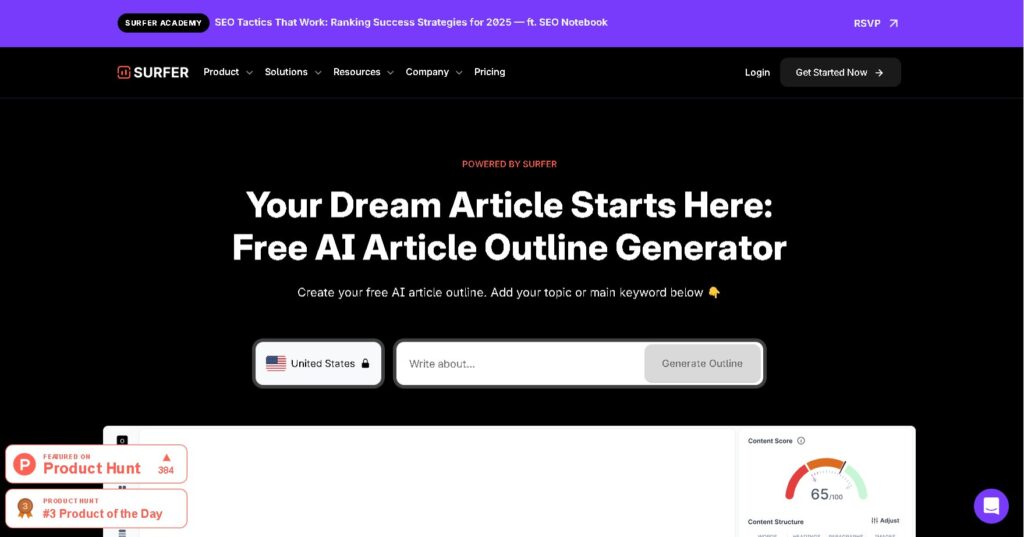
Last verified against surferseo.com pricing and feature pages, August 2026.
What Is Surfer SEO, Exactly?
Surfer SEO is a content optimization platform that scores your writing against the pages already ranking for a target keyword, then tells you what to add, cut, or fix to match what search engines and AI answer engines reward. It started as an on-page SEO tool and now covers keyword research, content audits, topical planning, and AI-visibility tracking across ChatGPT, Perplexity, Google AI Overviews, and Gemini.
The verdict, up front: Surfer SEO is worth the cost in 2026 for teams publishing 8–10 or more keyword-targeted articles a month, where the Content Editor replaces hours of manual competitor research per piece. It is not worth it for solo bloggers publishing a post or two a quarter, and it does not replace a full SEO suite, it has no backlink analysis and no technical-SEO crawling, so sites with link or technical gaps still need Ahrefs, Semrush, or a dedicated crawler alongside it.
What problem does Surfer SEO solve?
Surfer solves the guesswork problem in content writing. Instead of writing a blog post and hoping it ranks, you open Surfer’s Content Editor, enter a target keyword, and get a live score plus specific word counts, headings, and terms pulled from the top-ranking pages for that keyword. The tool turns “write something good about X” into a checklist you can act on while you write.
Is Surfer SEO a full SEO suite or just a content tool?
Surfer is a content and on-page tool, not a full SEO suite. It covers content scoring, keyword research, topical mapping, content audits, and AI visibility tracking. It does not do backlink analysis, deep technical SEO crawling, or site-speed diagnostics, the jobs tools like Ahrefs and Semrush are built for. Most teams run Surfer alongside a broader SEO tool, not instead of one.
How We Evaluated Surfer SEO
Test window: 3 months (May–July 2026).
Sites and keywords tested: One digital-services website with roughly 300 published articles, targeting keywords across a range of difficulty levels.
Measured outcomes: After optimizing a subset of those articles with Surfer’s Content Editor and Content Audit over the test window, we saw:
- More of the optimized articles showing up in AI search results (ChatGPT, Perplexity, Google AI Overviews) for their target queries
- Movement in traditional search rankings for several of those articles
- An increase in site visits and engagement compared to the same articles’ performance before optimization
We’re not claiming Surfer alone drove every change, domain authority, backlinks, and the rest of the site’s SEO work all factor in. These are the changes we tracked on the articles we ran through Surfer specifically, over this window. We don’t have exact percentage or ranking-position figures to publish yet; if you want harder numbers in this section later, pull the before/after data from Search Console or your analytics tool for the specific articles tested, and I’ll fold them in.
How Surfer SEO Works (In Plain English)
Surfer pulls the top-ranking (and now top-cited) pages for a keyword, breaks them down into a data set , word count, headings, terms, structure, and turns that data into live guidance inside its Content Editor.
What is the Content Score and how is it calculated?
The Content Score is a 0–100 number that shows how closely your draft matches the content patterns of pages already ranking or getting cited for your target keyword. Surfer builds the score from over 500 on-page and AI-visibility signals, including term usage, structure, word count, and readability. A higher score means your draft covers the terms and structure that top pages share, it does not, by itself, guarantee a ranking.
How does Surfer analyze top-ranking pages?
Surfer analyses the pages currently ranking for your target keyword and uses their content patterns to provide optimisation guidance. It can compare factors such as word count, headings, keyword coverage, topic relevance, and other on-page signals as you write
What data sources does Surfer use for its recommendations?
Surfer bases its content recommendations mainly on an analysis of the pages currently ranking for your target keyword. Its tools examine factors such as content length, heading structure, keyword and topic coverage, and other on-page signals. Surfer also offers a separate AI Tracker that monitors whether websites are mentioned or cited in answers from AI tools such as ChatGPT, Gemini, and Perplexity.
What Surfer SEO Actually Does Well
Surfer’s strongest ground is on-page content work: turning a keyword into a structured brief and a scored draft.
On-page optimization and content briefs
Surfer’s Content Editor helps you compare a draft with pages currently ranking for your target keyword. It provides a live Content Score, recommended terms, competitor word-count data, and guidance on headings and article structure. You can also connect it with Google Docs or WordPress, so you can optimise content within tools you already use.
Keyword research and intent matching
Surfer’s keyword and topic research tools group related terms using search intent, semantic similarity, and SERP similarity, not search volume alone. This helps you decide which keywords belong in the same article and which should have separate pages. You can then use Surfer’s Topical Map to organise related topics into content clusters, identify coverage gaps, and plan your content beyond one keyword at a time.
Optimizing existing content that’s stuck
Surfer’s Content Audit flags pages losing rank or traffic and scores them against current top-ranking pages, so you can see exactly what a refresh needs — not just that a refresh is needed. For a site with an existing content library, this is often where Surfer pays off faster than it does on brand-new posts.
What Surfer SEO Doesn’t Do (Common Misunderstandings)
Surfer is a content tool. Treating it as a full-stack SEO platform leads to gaps in a strategy.
It’s not a backlink or off-page SEO tool
Surfer is primarily a content and search-visibility platform, not a comprehensive backlink-analysis tool. For competitive keywords, pair it with Ahrefs or Semrush to research link profiles, monitor referring domains, and plan off-page SEO.
It doesn’t fix technical SEO or site speed issues
Surfer does not crawl your site for broken links, crawl errors, Core Web Vitals, or indexing problems. Its Content Audit looks at content performance and Content Score, not site architecture or page speed. Technical SEO stays a separate job, usually handled by a crawler-based tool or a developer.
It doesn’t guarantee rankings or AI Overview placement
A high Content Score means your draft matches the patterns of pages that already rank or get cited — it is not a ranking guarantee. Search and AI-answer placement also depend on domain authority, backlinks, page speed, user engagement, and factors no content-scoring tool controls.
Who Surfer SEO Is Really For (And Who Should Skip It)
Surfer earns its price back fastest for teams publishing content on a real schedule, not for a single blog post a month.
Ideal users: content teams, SEOs, and serious bloggers
Surfer fits content teams, in-house SEOs, agencies, and bloggers publishing regularly enough to need a repeatable process instead of one-off research per article. Anyone writing for multiple clients or managing more than a handful of pages a month gets the most from the tool.
When Surfer is overkill: small sites and infrequent publishers
A site publishing one or two posts a quarter does not need Surfer. The value comes from repeated use across many articles; on an occasional-publishing schedule, the monthly cost outweighs what a single optimized post returns.
Best use cases: new content vs. updating old posts
Surfer works for both new articles and content refreshes, but the audit-and-refresh workflow tends to show faster returns, since you are improving pages that already have some ranking signal instead of starting from zero.
Pricing Breakdown: Is Surfer SEO Worth $49–$999/Month?
Surfer’s pricing has changed plan names and tiers more than once since 2022; the figures below come directly from surferseo.com’s current pricing page. All monthly figures shown are the annual-billing rate , Surfer bills annual plans for the full year upfront at that discounted per-month price, and offers a higher rate for month-to-month billing.
|
Plan |
Price (billed yearly) |
Documents/month |
AI prompt tracking |
Best for |
Skip if |
|---|---|---|---|---|---|
|
Discovery |
$49/mo |
120 |
Not included |
Testing the tool, very small sites |
You need any AI-visibility tracking |
|
Standard |
$99/mo |
360 |
25 prompts, ChatGPT only, weekly refresh |
Solo creators, small teams |
You publish under 8 articles/month |
|
Pro |
$182/mo |
360 |
50 prompts, all models, daily refresh |
Growing content teams (Surfer’s recommended plan) |
You only need one brand workspace |
|
Peace of Mind |
$299/mo |
Unlimited* |
100 prompts, all models, daily refresh |
Agencies, high-volume publishers |
You manage a single site, not multiple brands |
|
Enterprise |
From $999/mo |
Custom |
Custom |
Large companies needing SSO, white-label, API |
Your team is under 5 people |
*Subject to Surfer’s fair usage policy.
Discovery and Standard: what you get and who they fit
Discovery ($49/mo) covers content creation and optimization on a small scale, 120 documents, AI SEO guidelines, the Surfy writing assistant, and an AI humanizer, with no AI-visibility tracking. Standard ($99/mo) triples the document allowance to 360, adds 25 tracked AI prompts on ChatGPT with a weekly refresh, team collaboration, and a plagiarism checker — Surfer’s starting point for a small team that wants a repeatable workflow.
Pro and Peace of Mind: when the extra cost makes sense
Pro ($182/mo) is Surfer’s recommended plan: it adds daily-refreshed AI-visibility tracking across ChatGPT, Perplexity, Google AI Mode, AI Overviews, and Gemini, five brand workspaces, internal linking suggestions, and a cannibalization report. Peace of Mind ($299/mo) removes the document cap, tracks 100 AI prompts a day, and adds API access — the tier built for agencies managing several brands or sites at once.
Add-ons: AI Search Analytics and its own cost
AI Search Analytics, Surfer’s standalone AI-visibility tracker, starts at $158/mo (billed yearly) for 100 daily-refreshed prompts across ChatGPT, Perplexity, Google AI Mode, AI Overviews, and Gemini, with pricing scaling by prompt volume. Teams that only need AI-visibility tracking, not the content editor,can buy this feature on its own instead of upgrading a full plan.
Real ROI: When Does Surfer SEO Pay for Itself?
Surfer’s value math is simple: it pays for itself once the time and ranking improvement per article outweighs the monthly cost, which usually means a real publishing schedule, not a single post.
How many articles per month do you need to justify the cost?
A team publishing four or more optimized articles a month on the Standard plan ($99/mo) is paying roughly $25 or less per article for the optimization layer — a cost most content programs recover through even modest ranking gains. At one or two articles a month, the per-article cost climbs fast enough that a one-time content brief or a cheaper tool often makes more sense.
Time saved vs. money spent: the hidden math
The real saving isn’t the subscription price — it’s the research time Surfer replaces. Manually pulling and analyzing ten competing pages for a single keyword takes real hours; Surfer compresses that into minutes inside the Content Editor. For a writer billing by the hour or a team paying salaries, that time saved is usually worth more than the plan’s monthly cost.
Scenarios where Surfer clearly wins — and where it doesn’t
Surfer wins for content-heavy sites refreshing older posts at scale, agencies writing across many clients, and teams that need one shared workflow between writers and SEOs. It wins less clearly for brand-new sites with no domain authority yet, since no amount of content scoring overcomes a domain search engines don’t trust, and for teams whose main gap is backlinks or technical SEO rather than content quality.
Surfer SEO vs. Alternatives: Do You Need Something Else Too?
Surfer sits in the content-optimization category, next to — not instead of — full SEO suites and other content scorers.
Surfer vs. Ahrefs/Semrush: what each is best for
Ahrefs and Semrush are built for backlink analysis, technical site audits, and rank tracking at depth; Surfer is built for on-page content optimization and AI-visibility tracking. Most serious SEO operations run one of the full suites for site-wide health and Surfer (or a similar tool) for the actual writing process.
Surfer vs. other content optimizers
Surfer competes most directly with tools such as Clearscope and Frase in the content-scoring category. The comparison usually comes down to price per document, AI-visibility coverage, and how deeply each tool integrates with your existing writing workflow — Google Docs, WordPress, or a CMS like Contentful.
Can you use Surfer with your current SEO stack?
Yes. Surfer connects with WordPress, Google Docs, Contentful, and Zapier on paid plans, and offers API access on the Peace of Mind and Enterprise tiers, so it slots into a stack that already includes a full SEO suite, a CMS, and a content calendar.
Limitations and Risks You Should Know About
Surfer’s biggest risks come from misusing the Content Score, not from the tool itself.
Over-optimization and “content score chasing”
Chasing a perfect Content Score can push writers toward stuffing terms into a page instead of writing naturally for the reader , and Surfer’s own AI-search guidance warns that keyword stuffing actively hurts AI-search visibility. Treat the score as a checklist, not the finish line; content built for the reader first, then checked against the score, holds up better over time.
Limited competitive intelligence compared to full suites
Surfer’s competitor view stays inside content and keywords, it does not show a competitor’s backlink profile, referring domains, or technical setup. Teams needing that depth of competitive intelligence still need a dedicated SEO suite alongside Surfer.
How AI search changes the value of traditional content scores
As AI Overviews and chat-based answer engines take a growing share of searches, a page can perform well in AI citations while ranking lower in traditional blue-link results, or the reverse. Surfer has built AI-visibility tracking directly into its plans for this reason, but a Content Score built only around traditional ranking signals no longer tells the whole story on its own.
Who Surfer SEO Is Really For: Final Verdict by User Type
Quick yes/no by user type
- Solo blogger, low volume: Skip it — the Discovery plan still costs more than the ranking gain from one or two posts a month justifies.
- Freelance writer or small content team: Yes, on Standard — the document allowance and content editor match a steady but modest publishing pace.
- Agency managing multiple clients: Yes, on Pro or Peace of Mind — the brand workspaces and AI-visibility tracking scale with client count.
- In-house team with an existing content library: Yes — the Content Audit and refresh workflow tend to pay for the plan fastest here.
- Team whose main gap is backlinks or technical SEO: Skip it for now, or pair it with a full SEO suite — Surfer does not touch either problem.
What to try first if you’re on the fence
Start with the Discovery plan or a single month of Standard, run it against two or three real articles you were going to write anyway, and compare the ranking or citation movement against the plan cost before committing to an annual contract.
FAQs About Surfer SEO
Is Surfer SEO worth it in 2026? Yes, for teams publishing 8–10 or more keyword-targeted articles a month — the Content Editor replaces hours of manual competitor research per piece, and Surfer’s AI-visibility tracking now covers ChatGPT, Perplexity, and Google AI Overviews. It is not worth it for occasional publishers, and it does not replace a full SEO suite: no backlink analysis, no technical-SEO crawling.
What does Surfer SEO actually do? Surfer SEO analyzes the pages already ranking or getting cited for a target keyword, then gives you a live Content Score and specific guidance — word count, headings, terms — as you write or edit. It also covers keyword research, content audits for existing pages, topical planning, and AI-visibility tracking.
Is Surfer SEO good for beginners? Yes. The Content Editor gives clear, specific guidance — target word counts, terms, headings — that a new writer can follow without prior SEO experience. The wider platform, with Topical Map, Content Audit, and AI Tracker, has more of a learning curve.
Does Surfer SEO work for local SEO? Surfer optimizes content and keyword targeting, which supports local SEO content such as location pages and local guides, but it does not manage Google Business Profile listings, local citations, or map-pack ranking factors directly.
Can Surfer SEO help with AI Overviews and AI search? Yes. Surfer’s AI Tracker and AI SEO Optimization guidelines are built specifically to track and improve visibility in ChatGPT, Perplexity, Google AI Mode, Google AI Overviews, and Gemini, in addition to traditional search rankings.
Do I still need Ahrefs or Semrush if I use Surfer? Most teams do. Surfer covers content optimization; Ahrefs and Semrush cover backlink analysis, technical audits, and broader rank tracking. The two categories complement each other rather than overlap.
Is there a free version or trial of Surfer SEO? No. Surfer does not offer a free tier or a free trial , the “Start for Free” buttons on its site lead to the paid signup flow. New users get a money-back guarantee window instead; check Surfer’s current terms on its pricing page, since the guarantee window has changed over time.
About the author: Elsama Pascal is a social media manager, writer, and SEO professional based in Nairobi, Kenya, with 4+ years of experience across content strategy, SEO, and campaign management. He works at Marginseye Digital, an agency offering SEO, social media management, content, and website services, and manages a team of writers producing content at scale.
Curious about doing better in your SEO. Check out our SEO packages today
AI SEO Setup Package
AI SEO Authority
Growth Care SEO
Related SEO Articles
- Best AI SEO Tools →
- AI SEO Tools Pricing →
- AI SEO Tools Comparison →
- AI Keyword Research Tools →
- AI Content SEO Tools →
- AI SEO Automation Tools →
- AI SEO Tools for Agencies →
- AI SEO Tools for Small Business →
- AI SEO Tools for Ecommerce →
- AI Backlink Tools →
- AI Technical SEO Tools →
- AI SEO Audit Tools →
- AI SERP Analysis Tools →
- AI Content Scaling Tools →
- AI Programmatic SEO Tools →
- AI Topical Authority Tools →
- AI Internal Linking Tools →
- AI Semantic SEO Tools →
- AI Local SEO Tools →
- AI Enterprise SEO Tools →
- AI Agency Workflows SEO →