Website Templates for Non-Tech People: How to Use Them Easily
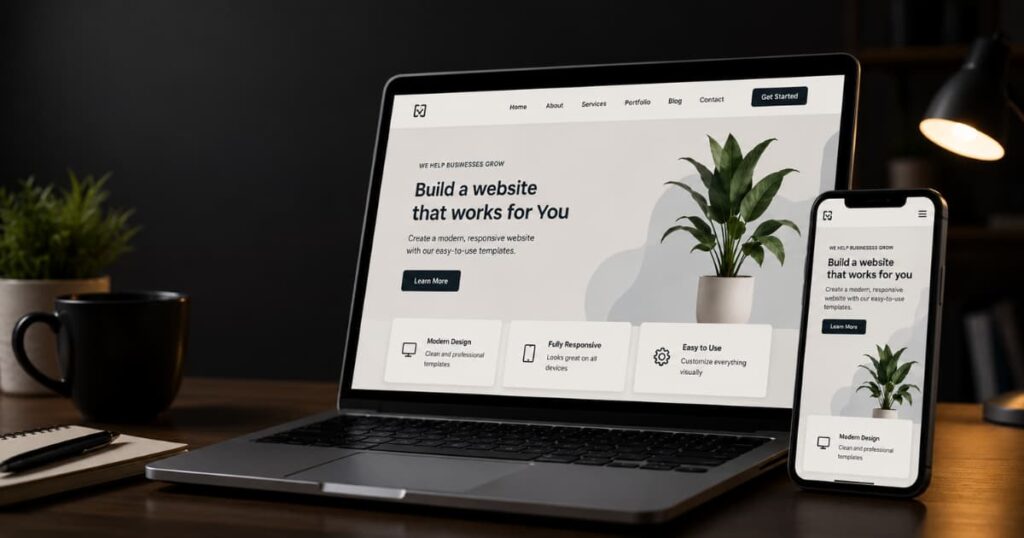
Website templates became important because too many people believed building a professional website required coding skills they did not have.
I’ve seen small business owners, freelancers, and creators delay launching websites for months simply because the process felt too technical. Meanwhile, customers were already searching online daily.
Templates changed that system.
Instead of building websites from scratch, non-tech users can now start with pre-built layouts, mobile-ready designs, and customizable sections that already work. That is a big reason no-code website platforms continue growing rapidly across small businesses and creators.
The important thing is this:
most people do not need complex custom infrastructure.
They need:
- a professional-looking website
- mobile responsiveness
- simple customization
- SEO-friendly structure
- a system they can manage without stress
In this guide, I’ll break down how website templates work, how to choose the right one, how to customize it properly, and the mistakes non-tech users should avoid.
What You’ll Learn
- What website templates actually are
- How templates help non-tech users build websites faster
- How to choose the right template for your goals
- Step-by-step ways to customize templates safely
- Common mistakes beginners make
- When templates stop being enough and custom websites make sense
- The best platforms and resources for beginners
What Are Website Templates?
A lot of non-tech people assume website templates are just “pre-made designs.”
That is only part of what they actually are.
A website template is really a pre-built website structure. It controls how the website behaves before you even add your own text, images, or branding. The template already includes things most websites need:
- layouts
- navigation menus
- mobile responsiveness
- page sections
- fonts
- spacing systems
That matters because most websites are solving similar problems:
- helping people find information quickly
- making the business look trustworthy
- working properly on phones
- guiding visitors toward an action
Templates standardized those systems so beginners no longer have to build them from scratch.
That is why website builders and no-code platforms grew so quickly. Businesses realized they could launch functional websites without hiring developers for every small change.
How Website Templates Work
Most templates work like a framework.
You start with an existing structure, then replace the demo content with your own:
- logo
- business name
- services
- photos
- colors
- contact details
The important thing is that the hard structural work is already done:
- responsive design
- layout spacing
- navigation behavior
- mobile optimization
That removes a lot of technical pressure for beginners.
Instead of coding pages manually, you mainly customize existing systems.
Website Templates vs Themes vs Builders
People confuse these terms constantly because platforms mix them together.
But there are differences.
Website Templates
Templates control the overall page structure and layout.
They determine:
- where sections sit
- how pages flow
- how content is organized
Themes
Themes mostly affect visual styling:
- colors
- typography
- visual appearance
- branding aesthetics
The easiest way to think about it:
the template is the structure.
The theme is the appearance layered on top.
Website Builders
Builders are the platforms used to edit and manage the website itself.
Examples include:
These systems usually include drag-and-drop editing so non-tech users can customize websites visually instead of through code.
Website Templates vs Custom Design Which One should you choose
The Biggest Misconception About Website Templates
A lot of people still think templates automatically make websites look generic.
That used to be more true years ago.
Modern templates became far more flexible because businesses demanded easier customization without technical complexity.
The bigger issue now is usually not “Will my site look unique?”
It is: “Will my site stay usable and maintainable over time?”
That changes the conversation completely.
Many highly customized websites actually become harder to manage because too many changes break the original structure:
- slower speeds
- layout problems
- mobile issues
- plugin conflicts
Meanwhile, simpler template systems often:
- stay faster
- remain easier to update
- work better on mobile
- reduce maintenance stress
That is the hidden advantage most non-tech users discover later.
The goal is usually not building the most complicated website.
It is building one that continues working properly as the business grows.
Why Templates Are Perfect for Non-Tech Users
Most non-tech people are not struggling because they lack ideas.
They are struggling because website creation still looks more technical from the outside than it actually is today.
That gap matters.
People see:
- coding tutorials
- developer language
- complex dashboards
- design jargon
…and assume building a website requires becoming a technical person first.
Meanwhile, modern website templates already removed much of that complexity underneath.
The internet quietly shifted from manual website building toward reusable infrastructure systems.
That is what made templates powerful for beginners.
No Coding Required
This is probably the biggest shift templates created.
Most modern website builders now use visual editing systems:
- drag-and-drop sections
- editable blocks
- live previews
- mobile-responsive layouts
That means non-tech users can build websites visually instead of writing code manually.
For example, I’ve seen service businesses launch complete websites simply by:
- changing template text
- replacing demo images
- adjusting colors
- updating navigation menus
The underlying structure was already built.
That changes the learning curve completely.
Actionable Tips
- Start with simpler templates first instead of feature-heavy designs
- Focus on replacing demo content before changing layouts
- Test changes gradually instead of editing everything at once
- Learn the builder interface before installing extra plugins
Common Pitfall
Many beginners assume more customization automatically means a better website.
Usually it creates:
- slower performance
- layout inconsistencies
- mobile issues
- maintenance stress
The strongest beginner websites are often the simplest ones.
Templates Save Time Most Beginners Don’t Realize They’re Losing
A lot of people delay websites for months while “preparing.”
But online, delay compounds quietly.
While someone waits:
- competitors publish content
- search rankings shift
- customer attention moves
- opportunities disappear silently
Templates reduce that delay because much of the infrastructure already exists.
I’ve seen freelancers launch portfolio websites within days simply because the template already included:
- galleries
- responsive layouts
- contact sections
- project pages
Without templates, rebuilding those systems manually would take far longer.
Actionable Tips
- Launch a usable website first instead of chasing perfection
- Build core pages before worrying about advanced features
- Use the template’s default structure initially
- Improve gradually after publishing
Common Pitfall
Trying to redesign the template completely before launch.
That usually turns a fast setup into a delayed custom project accidentally.
Templates Reduce Costs Without Sacrificing Professionalism
This is another misconception that still lingers online.
People often assume:
cheap = unprofessional
But many modern templates are built by experienced designers and development teams already optimizing for:
- usability
- responsiveness
- readability
- navigation structure
The internet standardized many website patterns already because users behave predictably:
- they expect menus in familiar places
- they expect mobile usability
- they expect fast-loading pages
Templates simply package those patterns into reusable systems.
That reduces costs because businesses no longer need to reinvent common website structures repeatedly.
Actionable Tips
- Invest in a clean premium template instead of multiple cheap ones
- Prioritize usability over visual complexity
- Check mobile responsiveness before buying templates
- Review update history and support documentation
Common Pitfall
Choosing templates based only on flashy demos instead of operational quality.
The demo environment is usually more optimized than the real website will be later.
Templates Already Solve Mobile Responsiveness
Most non-tech users underestimate how important this is.
A website may look perfect on desktop and still fail badly on phones.
That matters because mobile browsing now dominates much of the internet. Responsive website systems became standard partly because users expect websites to adapt automatically across screen sizes.
Good templates already account for:
- mobile layouts
- responsive spacing
- touch-friendly navigation
- scalable typography
That removes a huge technical burden from beginners.
Actionable Tips
- Always preview templates on your phone before choosing them
- Test button spacing and menu behavior carefully
- Avoid templates overloaded with animations
- Compress large images before uploading
Common Pitfall
Adding too many widgets and visual effects after setup.
That often hurts mobile usability faster than beginners realize.
Templates Let Non-Tech People Focus on the Business Instead of Infrastructure
This is probably the hidden reason templates matter most.
Most businesses do not actually need to become website engineers.
They need:
- visibility
- trust
- usability
- lead generation
- customer communication
Templates reduce the amount of technical infrastructure people must manage manually before reaching those outcomes.
That changes how non-tech users approach websites entirely.
Instead of thinking:
“I need to learn coding first.”
The mindset becomes:
“I need a usable system that supports the business.”
That is a very different problem.
Actionable Tips
- Focus more on clear messaging than visual experimentation
- Keep navigation simple
- Publish content consistently
- Improve based on user behavior instead of trends
Common Pitfall
Treating the website mainly like a design project.
Most visitors care more about:
- clarity
- speed
- readability
- trust
- usability
…than highly creative layouts.
That is something many beginners only realize after spending too much time redesigning things users never cared about.
Choosing the Right Template
Most beginners choose website templates emotionally first and operationally later.
That usually creates problems.
A template might look impressive in a demo but become difficult to manage once real content, mobile users, plugins, and updates start interacting with it.
This is important to understand early:
a website template is not only design.
It becomes part of the website’s infrastructure:
- speed
- navigation
- mobile responsiveness
- SEO behavior
- maintenance difficulty
That is why choosing the right template matters more than many non-tech users initially think.
Learn how to use a Website Template Fast!
Know the Goal of the Website First
Before choosing any template, I always think about what the website actually needs to do.
A portfolio website needs different infrastructure than:
- an ecommerce store
- a blog
- a service business
- a restaurant website
This sounds obvious, but many beginners skip this completely and choose templates based on visual trends instead.
That usually creates unnecessary complexity later.
For example:
a photography portfolio may need:
- large image layouts
- galleries
- minimalist navigation
Meanwhile a local service business may need:
- booking forms
- service pages
- trust indicators
- contact sections
The website structure should support the actual business goal first.
Actionable Tips
- Define the main purpose of the website before browsing templates
- Write down the core pages you need first
- Prioritize usability over visual complexity
- Choose templates built specifically for your industry type
Common Pitfall
Choosing a template because it “looks modern” without checking whether it supports the actual website goals properly.
Choose the Right Platform Carefully
The platform controls how easy the website becomes to maintain later.
Different platforms solve different problems.
WordPress
WordPress works well for:
- blogs
- SEO-focused websites
- service businesses
- flexible customization
But it requires more maintenance responsibility.
Wix and Squarespace
Wix and Squarespace simplify setup for beginners.
They reduce technical friction heavily:
- easier editing
- faster setup
- simpler maintenance
That makes them good for non-tech users starting out.
Shopify
Shopify is usually best for ecommerce because it already handles:
- payments
- checkout systems
- product pages
- inventory infrastructure
Webflow
Webflow gives more visual control but can feel slightly more advanced initially.
The important thing is this:
the “best” platform is usually the one you can maintain consistently without stress.
Actionable Tips
- Start with beginner-friendly platforms if you are non-technical
- Avoid overcomplicated systems early
- Check platform support documentation before committing
- Watch a few setup tutorials before choosing
Common Pitfall
Choosing platforms based on trends instead of your actual comfort level and maintenance ability.
Look for Mobile Responsiveness First
A website can look beautiful on desktop and still fail completely on phones.
That matters because mobile browsing now dominates much of internet usage. Responsive website systems became standard because users expect websites to adapt automatically across devices.
Before choosing a template:
- test it on your phone
- check navigation menus
- test button spacing
- review text readability
- inspect page speed
Most beginners underestimate this part badly.
Users usually experience websites through mobile first now.
Why You Need Successful mobile first design
Actionable Tips
- Always preview the mobile demo before buying a template
- Avoid templates overloaded with animations
- Choose clean layouts with readable spacing
- Test menus carefully on smaller screens
Common Pitfall
Choosing desktop-focused templates that become frustrating on mobile.
Check SEO and Performance Features
Many templates quietly create SEO and speed problems underneath.
This happens when templates are overloaded with:
- bloated code
- unnecessary effects
- too many scripts
- heavy page builders
The template may still “look good” while performing badly operationally.
Good templates usually prioritize:
- clean structure
- faster loading
- readable heading hierarchy
- responsive layouts
Google increasingly prioritizes usability, responsiveness, and performance signals because users abandon slow websites quickly.
Learn how to do Local SEO Today!
Actionable Tips
- Choose lightweight templates whenever possible
- Read reviews about speed and SEO compatibility
- Test demos using mobile speed tools
- Avoid templates trying to do everything at once
Common Pitfall
Confusing visual complexity with website quality.
In reality, overloaded templates often become slower and harder to maintain.
Red Flags Beginners Should Watch For
Some templates create problems almost immediately.
Warning signs include:
- outdated designs
- poor mobile responsiveness
- limited support documentation
- templates not updated regularly
- overly complicated dashboards
- too many bundled plugins
The internet changed quickly.
Templates that are not maintained eventually:
- break compatibility
- weaken SEO
- slow down
- create security risks
Actionable Tips
- Check update history before purchasing
- Read user reviews carefully
- Choose templates with active support
- Keep the setup as simple as possible initially
Common Pitfall
Installing multiple plugins and add-ons immediately after setup.
That usually creates more technical problems than benefits for beginners.
Simpler Templates Usually Age Better
This is probably the hidden truth most non-tech users only learn later.
The websites that perform best long term are usually not the most visually aggressive ones.
They are the ones that:
- stay readable
- load quickly
- remain easy to update
- work properly on phones
- reduce friction consistently
A clean, maintainable template often outperforms highly customized systems over time simply because it remains usable as the website grows.
That matters more than many beginners realize at the start.
Step-by-Step: Getting Started
This is usually the point where non-tech people get overwhelmed.
Not because the process is actually impossible.
But because website creation still looks more complicated from the outside than it often is today.
Most beginners assume they need to understand:
- coding
- hosting systems
- technical design
- advanced SEO
- developer workflows
Before they can even start.
In reality, modern website templates already handle much of the infrastructure underneath.
The goal now is not building everything manually.
It is learning how to work with systems that already exist.
Step 1: Pick the Right Platform for Your Situation
The platform controls how easy the website becomes to manage later.
Different platforms solve different problems.
For example:
- Wix and Squarespace simplify setup for beginners
- Shopify works best for ecommerce
- WordPress gives more flexibility and SEO control
- Webflow offers stronger visual design control
I usually tell beginners this:
choose the platform you can realistically maintain without stress.
That matters more than chasing the “most advanced” option.
Actionable Tips
- Start with beginner-friendly builders if you feel overwhelmed
- Watch setup tutorials before choosing a platform
- Think about maintenance, not only design
- Avoid switching platforms repeatedly early on
Common Pitfall
Choosing platforms based on trends instead of comfort level and actual website goals.
Step 2: Browse Template Libraries Carefully
Most platforms already include template libraries built around common business needs:
- portfolios
- restaurants
- blogs
- ecommerce stores
- service businesses
The important thing is not choosing the flashiest design.
It is choosing the structure closest to your real website needs.
For example:
a photography website should prioritize image layouts.
A local service business should prioritize clarity and contact access.
Actionable Tips
- Search templates by industry category first
- Choose simpler layouts initially
- Test templates on mobile before committing
- Prioritize readability over effects
Common Pitfall
Picking visually overloaded templates that look impressive but become difficult to use later.
Step 3: Preview and Test Before Installing
A template demo is marketing.
Its job is to look perfect.
But your actual website will behave differently once:
- real content gets added
- images accumulate
- plugins expand
- pages grow
That is why testing matters.
Responsive website systems became essential because users now browse heavily through phones and tablets. Mobile usability increasingly affects both SEO and user experience.
Before installing a template:
- open it on your phone
- test the menu
- check readability
- inspect loading speed
- scroll through every page
Actionable Tips
- Test demos on multiple devices
- Check button spacing carefully
- Avoid templates with excessive animation
- Read user reviews before purchasing
Common Pitfall
Only evaluating templates on desktop screens.
Most users now experience websites through mobile first.
Step 4: Customize the Website Without Overcomplicating It
This is where many beginners accidentally create problems.
They start changing:
- every layout
- every font
- every section
- every animation
Very quickly, the template becomes harder to maintain.
Good customization usually improves clarity, not complexity.
I normally focus first on:
- logo
- colors
- headings
- navigation
- images
- core messaging
The structure usually stays mostly intact initially.
Actionable Tips
- Keep the original spacing system consistent
- Use 2–3 colors maximum
- Choose readable fonts
- Replace demo content systematically
Common Pitfall
Trying to make the template look “completely unique” immediately.
That often breaks usability faster than beginners realize.
Step 5: Add the Essential Website Pages
Most websites need similar core pages:
- Home
- About
- Services or Products
- Contact
Sometimes:
- Blog
- FAQs
- Testimonials
- Portfolio
The structure matters because users scan websites quickly.
They want immediate clarity:
- what the business does
- who it helps
- how to take action
Simple navigation usually performs better because users do not want to think too hard online.
Actionable Tips
- Keep navigation menus short
- Write clear page headings
- Use simple calls-to-action
- Focus on readability first
Common Pitfall
Adding too many pages before the core structure is working properly.
Step 6: Set Up Basic SEO Properly
A lot of beginners assume SEO is highly technical.
The basics are simpler than people think.
Start with:
- page titles
- meta descriptions
- image alt text
- mobile responsiveness
- clear headings
- readable URLs
Search engines increasingly evaluate usability, responsiveness, and page performance as part of website quality.
That means template quality affects SEO more than many beginners realize.
Actionable Tips
- Compress large images before uploading
- Use descriptive page titles
- Add alt text to images
- Test mobile responsiveness regularly
Common Pitfall
Ignoring mobile usability while focusing only on desktop appearance.
Step 7: Test Everything Before Publishing
Most beginners rush this stage.
But small problems become highly visible after launch:
- broken links
- unreadable mobile layouts
- missing buttons
- slow pages
- navigation confusion
Before publishing:
- test every page
- click every button
- review forms
- check mobile responsiveness
- inspect loading speed
Actionable Tips
- Ask another person to test the website
- Review the site on different devices
- Check readability carefully
- Remove anything unnecessary
Common Pitfall
Launching immediately after major edits without testing responsiveness and usability first.
Step 8: Go Live and Improve Gradually
This is probably the most important mindset shift for non-tech users.
A website does not need to launch perfectly.
It needs to launch usable.
Most successful websites improve over time through:
- better content
- clearer messaging
- SEO improvements
- user feedback
- mobile optimization
The internet changes constantly.
That means websites should evolve gradually too.
The businesses that succeed online long term are often not the ones with the most technically perfect websites.
They are the ones that started early enough to keep improving consistently.
Customization Tips (Without Breaking Anything)
This is usually where non-tech users accidentally turn a simple website into a stressful one.
The problem is not customization itself.
It is uncontrolled customization.
A lot of beginners start with a clean template, then slowly add:
- extra plugins
- animations
- new fonts
- random colors
- oversized sections
- unnecessary widgets
At first, each small change feels harmless.
Over time, the website becomes:
- slower
- visually inconsistent
- harder to update
- more confusing on mobile
That happens because templates are designed as systems. Once too many unrelated changes pile up, the original structure starts breaking underneath.
The goal is not making the template look completely different.
The goal is making it feel clearly yours while keeping the system stable.
Stick to the Template’s Design System
Most good templates already have:
- spacing rules
- typography systems
- layout consistency
- responsive structure
Those things were designed intentionally.
I usually avoid changing everything immediately because consistency matters more than visual experimentation for most websites.
For example:
using 2–3 colors consistently often looks more professional than using six different brand colors randomly.
The same applies to fonts and spacing.
Actionable Tips
- Use one primary font family
- Keep color choices limited
- Maintain consistent spacing
- Reuse existing template sections before adding new ones
Common Pitfall
Changing every visual element independently until the website loses consistency.
Use Better Images Instead of More Design Effects
A lot of beginners try to make websites feel “premium” through:
- animations
- moving backgrounds
- sliders
- flashy effects
Usually, better images create stronger results than extra effects.
High-quality consistent visuals improve:
- trust
- readability
- professionalism
- user focus
Meanwhile too many effects often:
- slow the website
- distract users
- weaken mobile usability
Simple websites with strong imagery usually age better online.
Actionable Tips
- Use compressed high-quality images
- Keep image styles consistent
- Avoid autoplay video backgrounds
- Prioritize readability over visual intensity
Common Pitfall
Uploading oversized images that quietly slow the entire website down.
Keep Navigation Simple
This is one of the most overlooked parts of beginner websites.
People often add too many menu items because they think “more information” helps users.
Usually the opposite happens.
Too many choices create:
- confusion
- decision fatigue
- poor usability
Most visitors want quick clarity:
- what the business does
- who it helps
- how to contact you
That is it.
Actionable Tips
- Limit top navigation items
- Use clear page names
- Group related information together
- Make contact access obvious
Common Pitfall
Trying to place every page inside the main menu.
Don’t Over-Customize the Homepage
Many beginners spend almost all their energy redesigning the homepage repeatedly.
Meanwhile:
- service pages stay unfinished
- SEO pages remain empty
- mobile layouts get ignored
The homepage matters.
But it is still part of a larger system.
The internet trained people to think websites are mainly visual experiences.
Most users actually treat websites like tools:
they want answers quickly.
Actionable Tips
- Keep homepage sections focused
- Use short readable headings
- Add clear calls-to-action
- Remove unnecessary sections
Common Pitfall
Turning the homepage into a crowded scrolling presentation instead of a usable landing page.
Use Built-In Features Before Installing Extra Plugins
This matters more than many beginners realize.
Every extra plugin or app introduces:
- more updates
- more compatibility risk
- more loading weight
- more maintenance pressure
Most templates and builders already include many features people install separately unnecessarily.
I usually recommend learning the template properly first before adding new tools.
Actionable Tips
- Use native template sections first
- Install plugins only when necessary
- Remove unused apps regularly
- Update plugins carefully
Common Pitfall
Installing too many plugins immediately after setup.
That is one of the fastest ways beginners create technical problems accidentally.
Small Improvements Usually Work Better Than Big Redesigns
This is probably the most important mindset shift.
Good websites usually improve gradually:
- clearer text
- better navigation
- stronger images
- improved responsiveness
- cleaner structure
Most successful websites were not “perfect launches.”
They became better through consistent small improvements over time.
That matters because many non-tech users freeze when they think every decision must be final immediately.
It does not.
The website only needs to stay:
- usable
- readable
- maintainable
- responsive
Everything else can evolve gradually as the business grows.
Customization Tips (Without Breaking Anything)
This is usually where non-tech users accidentally turn a simple website into a stressful one.
The problem is not customization itself.
It is uncontrolled customization.
A lot of beginners start with a clean template, then slowly add:
- extra plugins
- animations
- new fonts
- random colors
- oversized sections
- unnecessary widgets
At first, each small change feels harmless.
Over time, the website becomes:
- slower
- visually inconsistent
- harder to update
- more confusing on mobile
That happens because templates are designed as systems. Once too many unrelated changes pile up, the original structure starts breaking underneath.
The goal is not making the template look completely different.
The goal is making it feel clearly yours while keeping the system stable.
Stick to the Template’s Design System
Most good templates already have:
- spacing rules
- typography systems
- layout consistency
- responsive structure
Those things were designed intentionally.
I usually avoid changing everything immediately because consistency matters more than visual experimentation for most websites.
For example:
using 2–3 colors consistently often looks more professional than using six different brand colors randomly.
The same applies to fonts and spacing.
Actionable Tips
- Use one primary font family
- Keep color choices limited
- Maintain consistent spacing
- Reuse existing template sections before adding new ones
Common Pitfall
Changing every visual element independently until the website loses consistency.
Use Better Images Instead of More Design Effects
A lot of beginners try to make websites feel “premium” through:
- animations
- moving backgrounds
- sliders
- flashy effects
Usually, better images create stronger results than extra effects.
High-quality consistent visuals improve:
- trust
- readability
- professionalism
- user focus
Meanwhile too many effects often:
- slow the website
- distract users
- weaken mobile usability
Simple websites with strong imagery usually age better online.
Actionable Tips
- Use compressed high-quality images
- Keep image styles consistent
- Avoid autoplay video backgrounds
- Prioritize readability over visual intensity
Common Pitfall
Uploading oversized images that quietly slow the entire website down.
Keep Navigation Simple
This is one of the most overlooked parts of beginner websites.
People often add too many menu items because they think “more information” helps users.
Usually the opposite happens.
Too many choices create:
- confusion
- decision fatigue
- poor usability
Most visitors want quick clarity:
- what the business does
- who it helps
- how to contact you
That is it.
Actionable Tips
- Limit top navigation items
- Use clear page names
- Group related information together
- Make contact access obvious
Common Pitfall
Trying to place every page inside the main menu.
Don’t Over-Customize the Homepage
Many beginners spend almost all their energy redesigning the homepage repeatedly.
Meanwhile:
- service pages stay unfinished
- SEO pages remain empty
- mobile layouts get ignored
The homepage matters.
But it is still part of a larger system.
The internet trained people to think websites are mainly visual experiences.
Most users actually treat websites like tools:
they want answers quickly.
Actionable Tips
- Keep homepage sections focused
- Use short readable headings
- Add clear calls-to-action
- Remove unnecessary sections
Common Pitfall
Turning the homepage into a crowded scrolling presentation instead of a usable landing page.
Use Built-In Features Before Installing Extra Plugins
This matters more than many beginners realize.
Every extra plugin or app introduces:
- more updates
- more compatibility risk
- more loading weight
- more maintenance pressure
Most templates and builders already include many features people install separately unnecessarily.
I usually recommend learning the template properly first before adding new tools.
Actionable Tips
- Use native template sections first
- Install plugins only when necessary
- Remove unused apps regularly
- Update plugins carefully
Common Pitfall
Installing too many plugins immediately after setup.
That is one of the fastest ways beginners create technical problems accidentally.
Small Improvements Usually Work Better Than Big Redesigns
This is probably the most important mindset shift.
Good websites usually improve gradually:
- clearer text
- better navigation
- stronger images
- improved responsiveness
- cleaner structure
Most successful websites were not “perfect launches.”
They became better through consistent small improvements over time.
That matters because many non-tech users freeze when they think every decision must be final immediately.
It does not.
The website only needs to stay:
- usable
- readable
- maintainable
- responsive
Everything else can evolve gradually as the business grows.
Common Mistakes Non-Tech Users Make
Most website problems beginners face are not really technical problems.
They are usually decision problems.
A lot of non-tech users assume websites fail because they lack coding knowledge. But after watching many beginner websites evolve, the bigger issue is usually this:
people keep adding complexity faster than they build clarity.
That creates websites that:
- look busy
- feel confusing
- load slowly
- become difficult to maintain
Templates solve many technical barriers already.
But they cannot automatically protect people from poor decisions layered on top later.
Choosing Style Over Functionality
This is probably the most common beginner mistake.
People choose templates based on:
- animations
- trendy layouts
- dramatic visuals
- “creative” effects
…without checking whether the website is actually usable.
The internet often rewards clarity more than visual intensity.
Users usually care about:
- finding information quickly
- understanding what the business does
- navigating easily on mobile
- trusting the website
That is it.
I’ve seen simple websites outperform visually aggressive ones simply because users could move through them faster.
Actionable Tips
- Prioritize readability first
- Keep layouts simple
- Focus on user flow before aesthetics
- Test navigation with real people
Common Pitfall
Treating the website mainly like a design showcase instead of a usability system.
Ignoring Mobile Responsiveness
Many beginners still build websites while looking only at desktop screens.
Meanwhile, most users now browse through phones first.
Responsive website systems became essential because people expect websites to adapt automatically across devices. Mobile usability increasingly affects both search visibility and user trust.
A website can look excellent on desktop and still feel broken on mobile because of:
- tiny text
- poor spacing
- oversized images
- difficult menus
Users rarely complain directly.
They usually leave silently.
Actionable Tips
- Preview every page on your phone
- Test menu behavior carefully
- Keep buttons large enough for touch
- Avoid cluttered layouts
Common Pitfall
Adding design elements that look good on desktop but collapse badly on smaller screens.
Overloading Pages With Too Much Content
This happens often because beginners feel pressure to explain everything immediately.
The result is usually:
- long paragraphs
- crowded layouts
- too many sections
- overwhelming homepages
But users scan websites quickly.
Most visitors are trying to answer simple questions:
- What is this?
- Can I trust it?
- What should I do next?
Clear structure matters more than volume.
Actionable Tips
- Break text into shorter sections
- Use simple headings
- Keep navigation focused
- Remove unnecessary blocks
Common Pitfall
Trying to place every piece of business information on the homepage.
Skipping Basic SEO Setup
A lot of beginners think SEO is highly technical and postpone it completely.
Meanwhile, basic SEO setup is mostly about clarity and structure:
- page titles
- readable headings
- image alt text
- mobile responsiveness
- clean URLs
Search engines increasingly evaluate usability and page structure because users abandon frustrating websites quickly.
Ignoring SEO early creates visibility problems later.
Actionable Tips
- Add page titles immediately
- Use descriptive image names
- Keep URLs simple
- Structure pages clearly
Common Pitfall
Focusing only on appearance while ignoring search visibility completely.
Installing Too Many Plugins and Apps
This usually starts innocently.
A beginner installs:
- one animation plugin
- one slider
- one popup tool
- one SEO app
- one extra builder
Suddenly the website becomes:
- slower
- unstable
- harder to update
Every plugin adds operational weight.
The problem is not plugins themselves.
It is unnecessary accumulation.
Actionable Tips
- Install tools only when necessary
- Use built-in features first
- Remove unused plugins regularly
- Prioritize speed over extra effects
Common Pitfall
Thinking more features automatically improve the website.
Often they increase friction instead.
Forgetting Backups and Maintenance
This is one of those invisible problems people only notice after something breaks.
Websites are not static projects.
Over time:
- plugins update
- platforms change
- layouts shift
- compatibility issues appear
A neglected website slowly decays underneath.
That is why maintenance matters even for beginners.
Actionable Tips
- Enable automatic backups
- Update templates regularly
- Test the site after major edits
- Keep maintenance simple
Common Pitfall
Assuming the website will permanently “just work” after launch.
The internet changes constantly.
Websites need maintenance because the systems around them keep changing too.
When to Upgrade or Go Custom
Website templates work well for most beginners because they remove unnecessary complexity early.
But eventually, some businesses outgrow the limits of simpler systems.
That is normal.
The mistake many people make is assuming they need custom development too early. In reality, most websites can grow surprisingly far using well-maintained template systems before custom infrastructure becomes necessary.
The better question is usually:
“Is the current website blocking growth operationally?”
That changes how people evaluate upgrades.
When Templates Start Feeling Limiting
A template usually becomes limiting when the business starts needing functionality the original structure was never designed to handle.
For example:
- advanced booking systems
- custom dashboards
- unique ecommerce workflows
- membership systems
- highly specialized integrations
At that point, workarounds start piling up:
- extra plugins
- custom code patches
- disconnected tools
- layout fixes
The website slowly becomes harder to maintain.
That is usually the signal the infrastructure itself may need to evolve.
Actionable Tips
- Track recurring website problems before upgrading
- Identify whether the issue is design or functionality
- Upgrade gradually instead of rebuilding everything immediately
- Simplify existing systems before adding new ones
Common Pitfall
Assuming every frustration means you need a fully custom website.
Sometimes the real issue is poor organization or too many unnecessary plugins.
Brand Growth Changes Website Needs
This happens often with growing businesses.
At the beginning, the website mainly needs:
- visibility
- trust
- usability
- mobile responsiveness
Later, the business may need:
- stronger brand identity
- more advanced content systems
- custom user experiences
- deeper integrations
That is where more customization starts making sense.
But even then, many businesses still continue using templates underneath while customizing only certain layers.
Modern website systems became far more modular than people realize.
Actionable Tips
- Evolve the website based on actual user behavior
- Improve conversion paths before redesigning visually
- Focus on usability during growth
- Keep mobile performance stable during upgrades
Common Pitfall
Rebuilding the website entirely because of boredom instead of actual operational problems.
Performance Problems at Scale
As websites grow, performance pressure increases too.
For example:
- larger image libraries
- heavier traffic
- more plugins
- ecommerce expansion
- larger databases
Poorly maintained template websites can eventually:
- slow down
- break responsiveness
- weaken SEO
- create maintenance fatigue
That is why scalability matters.
According to Webflow’s website maintenance guidance, websites require ongoing updates and optimization because performance, security, and usability degrade over time if neglected.
The issue is rarely the template alone.
It is usually accumulated complexity layered onto the template over time.
Actionable Tips
- Audit plugins regularly
- Compress media files consistently
- Remove unused tools
- Upgrade hosting as traffic grows
Common Pitfall
Adding more tools to fix problems caused by too many tools already installed.
Custom Development Is Sometimes Necessary
There are situations where custom systems genuinely make sense:
- SaaS platforms
- complex marketplaces
- enterprise systems
- advanced web applications
- proprietary workflows
Those projects often require infrastructure templates cannot realistically support long term.
But this is important:
custom development also increases responsibility.
More customization usually means:
- more maintenance
- more technical oversight
- higher development costs
- more testing requirements
That trade-off matters.
A lot of businesses underestimate the operational weight custom systems create later.
The Best Upgrade Is Usually the Simplest One
This is the hidden pattern behind strong websites long term.
The websites that scale best are usually not the ones chasing the most complexity.
They are the ones reducing friction consistently:
- simpler navigation
- cleaner structure
- faster performance
- easier maintenance
- clearer user flow
That is why many businesses stay on template systems far longer than people expect.
Because users rarely care whether a website was custom-built.
They care whether it works smoothly.
That distinction changes website decisions completely.
Recommended Resources & Tools
One thing non-tech users discover quickly is that building the website is only part of the process.
The bigger challenge is usually reducing confusion.
There are now thousands of:
- templates
- builders
- plugins
- tutorials
- marketplaces
That abundance sounds helpful initially.
But too many options often create hesitation instead of clarity.
That is why I usually recommend starting with simpler, well-supported systems first instead of trying to explore everything at once.
The goal is not finding the “perfect” tool immediately.
It is finding a system you can realistically use consistently without feeling overwhelmed.
Website Template Marketplaces
Template marketplaces became popular because they reduced the time people spent designing websites from scratch.
Instead of building layouts manually, users can start with existing systems already optimized for:
- responsiveness
- navigation
- mobile usability
- structure
Some of the most widely used template marketplaces include:
Platforms like Webflow Templates also provide professionally designed responsive website templates built specifically for no-code users.
Actionable Tips
- Start with industry-specific templates
- Read reviews before purchasing
- Check mobile responsiveness carefully
- Prioritize templates updated regularly
Common Pitfall
Choosing templates mainly because the demo looks visually dramatic instead of checking usability and maintainability.
Beginner-Friendly Website Builders
Modern website builders simplified website creation heavily for non-tech users.
Platforms such as:
…now offer drag-and-drop systems that reduce the need for coding knowledge.
According to Tom’s Guide’s 2026 website builder analysis, beginner-friendly builders continue growing because users prioritize simplicity, templates, and visual editing systems over technical setup complexity.
Actionable Tips
- Use free trials before committing
- Compare dashboard simplicity first
- Watch beginner tutorials before launching
- Choose platforms matching your actual goals
Common Pitfall
Switching platforms repeatedly before learning one system properly.
Recommended WordPress Themes
For beginners using WordPress, some popular beginner-friendly themes include:
These themes became popular because they simplify customization while maintaining responsive design systems.
The important thing is not choosing the “most advanced” theme.
It is choosing one that:
- loads reasonably fast
- stays easy to update
- remains understandable for beginners
Actionable Tips
- Start with lightweight themes
- Avoid unnecessary bundled features
- Keep customization minimal initially
- Learn the editor before installing plugins
Common Pitfall
Installing multiple page builders at the same time.
Free Image Resources
A lot of beginner websites look inconsistent because of poor-quality imagery.
Better images usually improve websites more than extra design effects do.
Useful free image sources include:
Actionable Tips
- Use consistent image styles
- Compress images before uploading
- Avoid oversized files
- Prioritize readability over decoration
Common Pitfall
Uploading huge image files that quietly slow the website down.
Learning Resources for Non-Tech Users
One of the best things modern website platforms improved is education.
Most builders now provide:
- tutorials
- setup walkthroughs
- documentation
- beginner academies
There are also thousands of free tutorials available on:
- YouTube
- platform help centers
- community forums
The important thing is not trying to learn everything immediately.
Most beginners only need enough knowledge to:
- launch
- maintain
- improve gradually
That is very different from becoming a full web developer.
Actionable Tips
- Learn one platform at a time
- Practice by editing a real website
- Follow beginner tutorials first
- Focus on usability over advanced features
Common Pitfall
Consuming endless tutorials without actually publishing anything.
That happens more often than people admit.
At some point, building the website teaches faster than researching websites endlessly.
Conclusion
Website templates changed something important that many people still underestimate:
they removed a large part of the technical barrier around building online visibility.
For years, websites felt like infrastructure only technical people could control:
- developers
- agencies
- designers
- people who understood code
That system made many beginners feel locked out before they even started.
Templates changed the equation by standardizing the parts most websites already need:
- layouts
- responsiveness
- navigation
- mobile usability
- page structure
That is a big reason no-code website systems continue growing rapidly across businesses and creators.
The important thing is this:
most non-tech users do not need perfect custom infrastructure to succeed online.
They need:
- a website people can actually use
- a system they can maintain
- clear messaging
- mobile responsiveness
- enough flexibility to grow gradually
That is where templates work best. Throughout this guide, we looked at:
- how website templates work
- how to choose the right one
- how to customize templates safely
- the mistakes beginners make
- when templates stop being enough
- the tools and platforms that simplify the process
The hidden pattern underneath all of this is surprisingly simple:
most people delay websites because they think the technical barrier is larger than it actually is today.
Meanwhile, the internet rewards people who publish, improve, and adapt consistently over time.
The website does not need to start perfect.
It needs to start usable.
That is the real shift website templates created for non-tech people.
Ready to Build Your First Website?
Start with one simple responsive template. Pick one platform. Build the core pages. Launch something usable.
Then improve it gradually instead of waiting endlessly for technical perfection.
Because online, momentum usually compounds faster than hesitation does.
Need help with your website, lets talk
Learn how to you install and customize a website template
Frequently Asked Questions About Website Templates for Non-Tech People
Will my website look like everyone else’s if I use a template?
Not necessarily.
Templates give you the structure, but your:
- branding
- content
- images
- messaging
- layout choices
…still shape how the website feels overall.
Most users actually care more about:
- clarity
- usability
- trust
- speed
…than whether the layout is completely unique.
A clean well-customized template usually performs better than an overly complicated “custom-looking” website.
Do I need coding skills to use website templates?
No.
Most modern website builders now use visual editing systems where you can:
- drag sections
- replace text
- upload images
- change colors
- edit pages visually
Platforms like Wix and Squarespace became popular largely because they simplified website creation for beginners.
The important thing is learning the platform gradually instead of trying to master everything immediately.
Are website templates good for SEO?
Yes, if the template is well-built.
Good website templates usually already support:
- mobile responsiveness
- readable structure
- faster loading
- clean navigation
- proper heading systems
Search engines increasingly prioritize usability and responsiveness because users abandon frustrating websites quickly.
The bigger SEO problem for most beginners is usually:
- poor content structure
- ignoring mobile users
- slow images
- inconsistent updates
Not the template itself.
What is the easiest website builder for beginners?
For many beginners, platforms like:
…are easier because they reduce technical setup heavily.
According to TechRadar’s 2026 website builder review, Wix remains one of the most beginner-friendly website builders because of its drag-and-drop system and large template library.
The best builder is usually the one you can maintain consistently without feeling overwhelmed.
How much do website templates usually cost?
Website templates range from free to premium paid versions.
Free templates work well for:
- starter websites
- simple portfolios
- personal blogs
Premium templates usually provide:
- better support
- more customization
- stronger optimization
- regular updates
The bigger long-term cost is often maintenance and complexity, not the template price itself.
Can I customize a website template later?
Yes.
Most templates allow changes to:
- colors
- fonts
- layouts
- images
- navigation
- sections
But over-customization can create problems:
- slower websites
- mobile issues
- layout instability
The strongest beginner websites usually stay simpler than people expect.
Are website templates mobile-friendly?
Most modern templates are responsive, meaning they automatically adapt across:
- phones
- tablets
- desktops
That matters because much of internet traffic now happens through smartphones. Responsive website systems became standard because users expect websites to function properly across devices.
Before choosing a template, always test the mobile demo carefully.
What happens if I outgrow the template later?
That is normal.
Many businesses start with templates, then gradually:
- customize more
- add integrations
- improve functionality
- redesign certain sections
Some eventually move toward more custom systems.
But most beginners can grow surprisingly far using well-maintained templates before needing custom development.
Is WordPress too difficult for non-tech users?
Not necessarily.
But it usually requires more maintenance than simpler builders.
WordPress gives more flexibility and SEO control, but beginners may need time learning:
- plugins
- themes
- updates
- hosting basics
For some people, simpler builders reduce stress early on.
What is the biggest mistake beginners make with website templates?
Trying to make the website perfect before launching.
That usually creates:
- endless redesigns
- delayed publishing
- unnecessary complexity
Most successful websites improve gradually after launch.
The internet usually rewards consistency and usability more than delayed perfection.
Simple Comparison Table for Non-Tech Users
| Platform | Best For | Ease of Use | Flexibility | Maintenance Level | Good for Beginners? |
|---|---|---|---|---|---|
| WordPress | Blogs, SEO websites, service businesses | Moderate | Very High | Higher | Yes, with learning |
| Wix | Small businesses, portfolios, beginners | Very Easy | Moderate | Low | Yes |
| Squarespace | Creators, portfolios, clean business sites | Easy | Moderate | Low | Yes |
| Shopify | Ecommerce stores | Easy | Ecommerce-focused | Moderate | Yes |
| Webflow | Startups, modern design websites | Moderate to Advanced | High | Moderate | Sometimes |
What This Table Actually Means
A lot of beginners assume the “best” platform is the one with the most features.
Usually, the better question is:
“What system can I realistically maintain consistently?”
That changes the decision completely.
For example:
- WordPress gives strong flexibility and SEO control, but requires more maintenance.
- Wix and Squarespace reduce technical friction heavily, making them easier for non-tech users starting out.
- Shopify simplifies ecommerce infrastructure so beginners do not have to manage payment systems manually.
- Webflow gives more design control, but the learning curve is slightly steeper.
According to TechRadar’s 2026 website builder analysis, beginner-friendly builders continue growing because users increasingly prioritize simplicity, templates, and visual editing over technical setup complexity.
The important thing is this:
the platform should reduce friction, not increase it.
A simpler website maintained consistently usually performs better long term than a highly advanced system abandoned halfway through.
