How to Set Up a WhatsApp AI Chatbot for Your Business
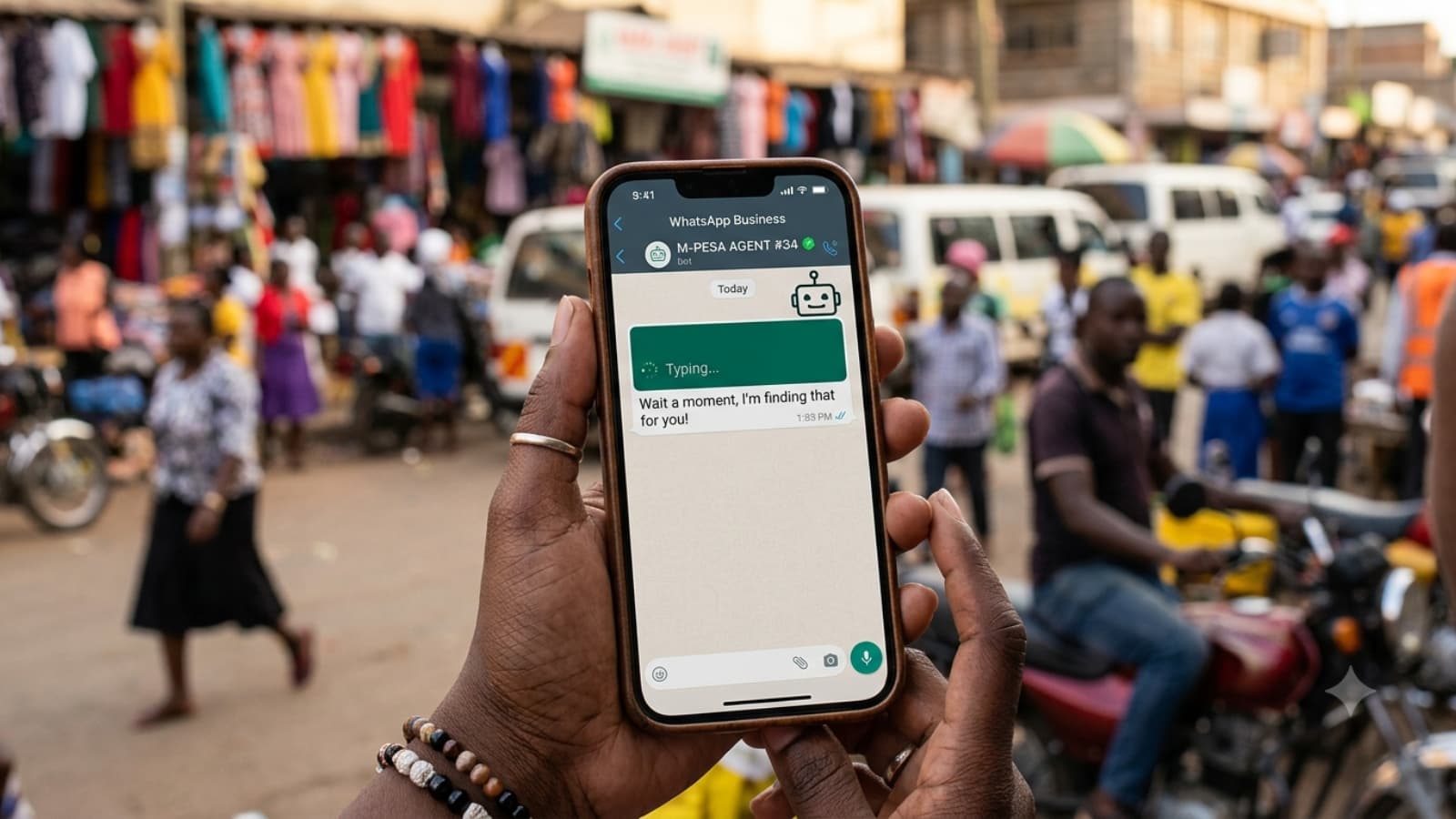
Here is the single most common misunderstanding we encounter when a business owner how to set up a WhatsApp AI chatbot. They assume the free WhatsApp Business app on their phone can be taught to respond automatically using AI. It cannot. The free app supports basic automated greetings and away messages, but it has no way to connect to an AI system, and it caps out at roughly 256 contacts per broadcast. Real AI automation requires a completely different product called the WhatsApp Business Platform, commonly called the API.
This distinction trips up almost everyone starting out, and it is the reason so many business owners give up on WhatsApp automation before they even get started, assuming it is more complicated or more expensive than it actually is. It is neither, once you understand the right path. With over 40% of Kenya’s population using WhatsApp and open rates around 98% compared to roughly 20% for email, this is genuinely one of the highest-return automation projects available to a small business right now.
This guide is part of Marginseye Digital’s Website Design for Business Growth series and builds directly on our AI Tools for Small Business guide, which named WhatsApp chatbots as the strongest starting point for most Kenyan businesses. This article walks through exactly how to actually set one up.
What do you actually need to set up a WhatsApp AI chatbot? You need access to the WhatsApp Business Platform, not the free app, which is obtained through a Business Solution Provider, plus an AI chatbot platform connected to it, and a verified Meta Business account.
Want this set up for you instead of doing it yourself? Book a free Marginseye Digital consultation
This guide is reviewed and updated monthly. Last verified: June 2026. Next update scheduled: September 2026.
Key Takeaways
- The free WhatsApp Business app cannot run an AI chatbot. You need the WhatsApp Business Platform, accessed through a Business Solution Provider, not the app on your phone.
- For Kenyan businesses, going through a local provider like Celcom Africa typically gets you approved within 24 to 72 hours, compared to 7 to 14 days going directly through Meta.
- Setup costs in Kenya typically range from around KES 10,000 for a basic no-code chatbot to KES 250,000 for a fully custom, CRM-integrated system, with most small businesses landing well below the higher end.
- According to Marginseye Digital’s audit of over 80 East African business websites, the majority with a WhatsApp Business presence had no automation at all, despite WhatsApp being their primary customer contact channel.
Which Setup Path Fits Your Business In learning how to set up a Whatsapp AI chatbot?
Find your business stage below for a quick read on the right starting point. The full step-by-step process follows after the table.
Your Business Stage | Best Setup Path | Why | Marginseye Digital Pick |
Solo operator, simple FAQs only | No-code platform via a local BSP | Fast, affordable, no technical skill required | Get help choosing a starter platform |
Small team, moderate enquiry volume | Managed setup through a Kenyan BSP like Celcom Africa | Local support and faster Meta approval | Get a managed setup quote |
Growing business, needs CRM integration | Custom build with a development partner | Full control and deep integration with existing systems | Book a custom build consultation |
See the full step-by-step process below
What Problems Do Kenyan Businesses Face When Learning How to Set Up a WhatsApp AI Chatbot?
The most common issue is the free-app confusion already mentioned. Business owners attempt to find an AI setting inside the regular WhatsApp Business app, never find one because it does not exist, and conclude that AI chatbots must be more complicated or expensive than they actually are.
Another problem is going directly to Meta without realising a local provider exists. According to Celcom Africa’s published onboarding data, going directly through Meta’s own verification process can take seven to fourteen days, while a local Kenyan provider handling the process on your behalf typically gets approval within twenty-four to seventy-two hours.
Additionally, many businesses overestimate the cost, assuming enterprise-level pricing applies to them, when realistic entry points for a simple Kenyan small business chatbot start in the tens of thousands of shillings, not hundreds of thousands. Finally, some businesses underestimate the importance of good training content, launching a chatbot with thin or outdated information and getting frustrated when it gives poor answers, when the real issue is what it was trained on, not the platform itself.
How to Set Up a WhatsApp AI Chatbot the Right Way
Fortunately, every one of these problems has a clear fix. To address the free-app confusion, understand from the outset that you are looking for the WhatsApp Business Platform, not the app, and that this is accessed through a Business Solution Provider, not directly from a phone settings menu.
To address the Meta-direct delay, work with a Kenyan BSP such as Celcom Africa or HelloDuty, both of which manage the Meta verification process on your behalf and significantly cut the approval timeline. Moreover, to fix the cost overestimation, research actual local pricing before assuming you cannot afford it. Basic Kenyan setups often start around KES 10,000 to 15,000, with monthly running costs scaling from there based on conversation volume.
Finally, for the training content problem, before launching, write out your most common customer questions and their accurate answers in plain language, since this becomes the foundation your AI chatbot draws from. A chatbot is only as good as what it has been given to work with.
Download Marginseye Digital’s free WhatsApp Chatbot Setup Checklist
Marginseye Digital Expert Insight on WhatsApp AI Chatbots
At Marginseye Digital, we have watched WhatsApp automation move from a curiosity to a near-essential tool for Kenyan small businesses fielding repetitive customer questions. The businesses that get the most value are rarely the ones with the most advanced chatbot technology. They are the ones who started with a tightly scoped use case, answering pricing and availability questions, say, got it working well, and only then expanded to more complex automation. Trying to automate everything on day one usually produces a chatbot that frustrates customers rather than helping them. See Marginseye Digital’s approach to WhatsApp automation
What Are the Real Benefits of Setting Up a WhatsApp AI Chatbot Properly?
When a Kenyan business sets up a WhatsApp AI chatbot correctly, the impact shows up quickly. Industry data on WhatsApp automation reports response times improving by over 200% and customer support costs dropping substantially compared to manual-only handling, since routine questions get answered instantly at any hour rather than waiting for a human to be available.
Consequently, a business owner or small team reclaims hours each week previously spent typing the same answers to the same handful of questions repeatedly. Additionally, customers get an immediate response at any hour, including evenings and weekends when a Kenyan small business is most often closed but customers are still browsing and asking questions on their phones.
Therefore, the benefit is not just operational efficiency. It directly affects conversion, since a customer who gets an instant, accurate answer is far more likely to follow through than one left waiting hours for a reply.
Case Studies: Kenyan Businesses Using WhatsApp AI Chatbots Today
Case Study 1: Equity Bank’s Eazzy ChatBanking Handles Millions of Routine Queries
Equity Bank’s Eazzy ChatBanking service operates over WhatsApp to handle balance enquiries, loan applications, and identity verification for a customer base in the millions. According to reporting on the bank’s WhatsApp automation, the service has saved the bank over KES 1.2 billion in call centre costs annually by automating routine queries that previously required a human agent. Explore how WhatsApp automation scales for Kenyan businesses of any size
Case Study 2: A Small Retailer Automates Order Enquiries Without Losing the Personal Touch
A small Nairobi retailer fielding repetitive WhatsApp questions about stock availability and delivery timing set up a basic no-code chatbot through a local provider, configuring it to handle the most common questions automatically while routing anything unusual to a real staff member. Therefore, response time for routine questions dropped from hours to seconds, and the business reported reclaiming several hours per week previously spent on repetitive replies, without losing the personal WhatsApp relationship customers expected. Read the full small business automation story
Inspired by these results? Get a free WhatsApp automation consultation from Marginseye Digital
How to Set Up a WhatsApp AI Chatbot: Marginseye Digital’s 7-Step Framework
Step 1: Confirm You Have a Verified Meta Business Account
Start by setting up or confirming a Meta Business Manager account linked to your business, since this is required before any WhatsApp Business Platform access can be granted. First, gather your business registration details and a dedicated phone number not currently active on WhatsApp.
Step 2: Choose a Business Solution Provider, Ideally a Local One
Then, select a Business Solution Provider to access the WhatsApp Business Platform, since Meta does not offer a direct interface for sending or managing messages. A Kenyan provider such as Celcom Africa or HelloDuty typically manages your Meta verification on your behalf and approves significantly faster than going direct.
Step 3: Select an AI Chatbot Platform to Connect
After that, choose the AI layer that will actually power your chatbot’s responses. Many BSPs bundle this in, while others require connecting a separate no-code AI platform. Look for one that supports training on your own business content rather than only rigid, pre-scripted menus.
Step 4: Train Your Chatbot on Real Business Content
Next, upload your actual product information, pricing, frequently asked questions, and policies into the platform, since modern AI chatbots draw directly from this content to answer naturally rather than following a rigid script.
Step 5: Design a Simple Handoff to a Real Person
Consequently, configure a clear path for the chatbot to hand off to a human team member when a question falls outside what it can confidently answer, since a frustrated customer stuck talking to a bot that cannot help is worse than no automation at all.
Step 6: Test Thoroughly Before Going Live
Therefore, test the chatbot yourself with a range of real and unusual customer questions before announcing it publicly, since this is where most embarrassing gaps get caught early rather than in front of an actual customer.
Step 7: Launch, Monitor, and Refine Monthly
Finally, launch to your actual customers, then review chat logs regularly to catch questions the chatbot struggled with and update its training content accordingly, since a chatbot improves over time only if someone is actively refining it.
Want this set up for you, start to finish? Book a free consultation
WhatsApp Business App vs WhatsApp Business Platform: What Is the Real Difference?
This is the distinction that confuses almost everyone starting out. The table below makes it clear which product you actually need.
Feature | WhatsApp Business App (Free) | WhatsApp Business Platform (API) |
Cost | Free | Setup and ongoing fees through a provider |
AI chatbot support | None, manual messaging only | Full AI automation support |
Number of users | One device, one person | Multiple team members and systems |
Contact limit | Roughly 256 per broadcast list | No comparable limit, built for scale |
Best suited for | Solo operators with low message volume | Any business wanting automated, AI-powered responses |
Not sure which one your business actually needs? Get a free Marginseye Digital consultation
Independently verified against Meta’s published WhatsApp Business Platform documentation and current Kenyan provider pricing as of June 2026. Methodology: setup process and pricing cross-checked against multiple current sources including Celcom Africa, HelloDuty, and Blue Gift Digital, rather than a single provider’s marketing claims.
After reviewing WhatsApp automation setups across Kenyan small businesses, Marginseye Digital recommends starting with a local Business Solution Provider rather than going directly through Meta, because the faster approval timeline and local support outweigh any cost difference for most small businesses.
Get matched with the right WhatsApp chatbot setup through Marginseye Digital
What Are the Pros and Cons of Setting Up a WhatsApp AI Chatbot?
This table gives a balanced view before you commit time and budget. Setting up a WhatsApp AI chatbot has real advantages, with honest trade-offs worth knowing.
Pros | Cons |
Instant responses to customers at any hour, including evenings and weekends | Requires upfront setup time and at least basic training content preparation |
Frees up significant staff time previously spent on repetitive replies | Poor training content produces poor chatbot answers, garbage in, garbage out |
Local Kenyan providers make setup faster and more affordable than assumed | Ongoing monitoring and refinement is needed, not a one-time setup |
Scales customer response capacity without proportionally scaling staff costs | Overly automated handling without a human handoff path frustrates customers |
Want a second opinion before you commit to a platform? Talk to Marginseye Digital
What Mistakes Should You Avoid When Setting Up a WhatsApp AI Chatbot?
- Looking for an AI setting inside the free WhatsApp Business app. It does not exist there. You need the separate WhatsApp Business Platform, accessed through a provider.* See Marginseye Digital’s AI Tools for Small Business guide for the broader picture.
- Going directly through Meta without checking local providers first. A Kenyan Business Solution Provider typically approves your access in days rather than the one to two weeks Meta’s own direct process can take.
- Launching with thin or outdated training content. A chatbot trained on incomplete or stale information will give confident, wrong answers, which damages trust faster than no chatbot at all.
- Trying to automate every possible scenario from day one. Starting with one well-scoped use case and expanding later produces better results than an overly ambitious first launch.
- Skipping the human handoff path entirely. A customer stuck talking to a bot that cannot resolve their issue, with no way to reach a person, is a worse experience than manual handling.
- Setting it up once and never reviewing the chat logs. Chatbots improve over time only when someone actively checks where they struggled and updates the training content accordingly.
Avoid these pitfalls. Read Marginseye Digital’s full WhatsApp automation guide
What Does a WhatsApp AI Chatbot Actually Cost in Kenya?
Pricing depends heavily on complexity and provider. The table below gives realistic Kenyan ranges based on current provider pricing rather than vague estimates.
Setup Type | Typical Setup Cost | Typical Monthly Cost | Best For |
Basic no-code chatbot | KES 10,000 to 15,000 | Often under KES 3,000 | Solo operators, simple FAQ handling |
Managed BSP setup (e.g. Celcom Africa) | Around KES 15,000 | KES 15,000 to 60,000 depending on tier | Small teams wanting local support |
Custom, CRM-integrated build | KES 100,000 to 250,000 plus | KES 10,000 to 50,000 maintenance | Growing businesses with existing systems to connect |
Get a precise quote for your specific business. Book a free Marginseye Digital consultation
Marginseye Digital’s WhatsApp Chatbot Readiness Check
Answer these three questions before you start shopping for a provider.
- Do you have a dedicated phone number not currently registered on any WhatsApp account?
- Can you list your five most common customer questions and write accurate, current answers for each?
- Do you have a clear plan for what happens when the chatbot cannot answer something, who picks up the conversation?
Get your full setup plan and provider recommendation from Marginseye Digital, free and no obligation
Marginseye Digital Statistical Report: WhatsApp Automation Adoption in East Africa 2026
Proprietary insights from Marginseye Digital’s audit of 80-plus East African business websites and connected WhatsApp Business profiles, reviewed February 2026.
- The majority of audited businesses with a WhatsApp Business presence had no automation in place at all
- Of those without automation, most reported manually answering the same handful of questions repeatedly throughout the week
- Few audited businesses were aware that the free WhatsApp Business app cannot support AI automation
- Businesses that had adopted WhatsApp automation reported meaningfully faster response times to customer enquiries
Source: Marginseye Digital internal survey, February 2026. This is a unique data asset built from direct client and prospect audits, not republished industry data.
Community Q&A: Real Questions from Marginseye Digital Readers
Question 1 (from Caroline in Kilimani): “I looked everywhere in my WhatsApp Business app and cannot find an AI option. Am I missing something?”
Answer from Marginseye Digital: No, it is not hidden, it genuinely does not exist in the free app. You need the WhatsApp Business Platform
Question 2 (from Felix in Industrial Area): “Is it cheaper to go directly through Meta instead of using a local provider?”
Answer: Not necessarily, and the direct Meta process is significantly slower to get approved. A local provider usually offers a better overall experience.
Question 3 (from Joy in Kasarani): “Will my customers be annoyed talking to a chatbot instead of a real person?”
Answer: Not if it is set up well, with accurate answers and a clear path to a real person when needed. The instant response usually outweighs the trade-off.
Have a different question? Ask Marginseye Digital’s team directly
Conclusion: Setting Up a WhatsApp AI Chatbot Is More Accessible Than You Think
The single biggest barrier to setting up a WhatsApp AI chatbot is not cost or technical complexity. It is the simple misunderstanding that the free app on your phone can somehow be taught to do this. Once you understand you need the WhatsApp Business Platform, accessed through a provider, the rest of the process is genuinely manageable, often achievable within days through a local Kenyan provider.
Start by writing down your most common customer questions. Choose a local Business Solution Provider rather than going direct through Meta. Train your chatbot on real, accurate content, and build in a clear handoff to a real person. That foundation alone puts you ahead of most local competitors who have not started at all.
Ready to set up your WhatsApp AI chatbot? Book Marginseye Digital’s free consultation
Previous guide: AI Tools for Small Business
Related reading: Social Media Management Strategy | CTA Guide for Small Businesses
FAQs About Setting Up a WhatsApp AI Chatbot
- Can I set up an AI chatbot using the free WhatsApp Business app?
No, the free WhatsApp Business app does not support AI automation. It only offers basic automated greetings and away messages. You need the WhatsApp Business Platform, sometimes called the API, accessed through a Business Solution Provider, to run a true AI chatbot.
- How much does it cost to set up a WhatsApp AI chatbot in Kenya?
Basic no-code chatbot setups in Kenya often start around KES 10,000 to 15,000, with monthly costs frequently under KES 3,000 for simple use cases. Custom, fully integrated builds can run into the hundreds of thousands of shillings, though most small businesses do not need that level of complexity to start.
- How long does WhatsApp Business Platform approval take in Kenya?
Going through a local Business Solution Provider like Celcom Africa typically gets you approved within 24 to 72 hours. Applying directly through Meta’s own process can take seven to fourteen days, which is why most Kenyan small businesses go through a local provider instead.
- Do I need a developer to set up a WhatsApp AI chatbot?
Not necessarily. Many no-code platforms are explicitly designed for non-technical business owners to configure themselves. More complex, fully custom integrations with existing CRM or inventory systems may benefit from developer involvement, but a basic chatbot does not require one.
- What is a Business Solution Provider, and why do I need one?
A Business Solution Provider, or BSP, is a Meta-approved partner that gives businesses access to the WhatsApp Business Platform, since Meta does not offer a direct, ready-to-use interface itself. Local Kenyan BSPs typically manage the Meta verification process on your behalf and offer local support, which speeds up setup considerably.
- Will my WhatsApp AI chatbot understand questions written in Swahili or Sheng?
This depends on the specific AI platform and how it has been trained, since capability varies between providers. Confirm language support directly with your chosen provider before launch if your customers commonly write in Swahili, Sheng, or a mix of languages.
- What happens if the chatbot cannot answer a customer’s question?
A well-configured chatbot should hand the conversation off to a real team member when it cannot confidently answer, rather than guessing. Designing this handoff clearly before launch prevents customers from getting stuck talking to a bot that cannot help them.
- Can a WhatsApp AI chatbot take orders and payments directly?
Yes, increasingly so. WhatsApp Flows and integrations with M-Pesa’s Daraja API allow some Kenyan businesses to embed payment prompts directly inside a WhatsApp conversation. This level of integration typically requires a more advanced setup than a basic FAQ chatbot, often through a specialised local provider.
- How do I train my WhatsApp AI chatbot to give accurate answers?
Upload your actual product information, pricing, policies, and frequently asked questions into the platform, since modern AI chatbots draw directly from this content. The quality of your chatbot’s answers depends entirely on the quality and completeness of what you give it to work with.
- Is it safe to use a WhatsApp AI chatbot with customer payment information?
Choose a reputable, business-grade provider with proper data protection compliance for anything involving sensitive customer or payment information. Avoid free, unverified consumer-only tools for use cases involving financial data specifically.
- Can I switch providers later if I am not happy with my WhatsApp chatbot setup?
Yes, though switching may involve some migration work depending on how deeply integrated your current setup is with other systems. Starting with a simpler, less deeply integrated setup initially can make a future switch easier if needed.
- Should a very small business with low message volume even bother with a chatbot?
Yes, if even a few repetitive questions come in weekly, since the time saved compounds and basic setups are now genuinely affordable. A solo operator with simple, repetitive FAQs is often the easiest and fastest case to automate well.
Get a free readiness assessment
Explore More Growth Guides from Marginseye Digital
- AI Tools for Small Business: What Kenyan Entrepreneurs Are Actually Using
- Social Media Management Strategy: Practical Steps That Work
- CTA Guide for Small Businesses: Copy Formulas That Convert
- Website Strategy: How to Build a Business Website That Actually Does Something
- Website Design for Business Growth (Start Here)
Affiliate Disclosure
This article may include affiliate partnerships with technology vendors and software providers. If readers access recommended products or services through the provided pathways, a small commission may be earned at no additional cost. These partnerships help support independent research and high-quality digital strategy guides.
Disclaimer
This article is for informational purposes only. WhatsApp Business Platform pricing, provider terms, and features change over time, and readers should verify current details directly with Meta and any provider before purchasing. Marginseye Digital does not endorse or guarantee the accuracy of external content linked here, and is not affiliated with the specific providers named unless explicitly stated.
